

Explore all that CourseArc has to offer
Accessibility
ALT TEXT
To support your organization’s accessibility compliance, content creators are required to add alt text any time an image is added to content. Alt text is stored with the image file at its source (in the file manager.) When an Image block is added to the page, Alt Text is automatically populated from the File Manager into your Image block.
AUTO-GENERATED ACCESSIBILITY
Design compliant courses confidently and efficiently to best serve every learner. CourseArc automatically creates accessible alternatives for the interactive activities you build in your course and ensures those who prefer to use a mobile device, keyboard or screenreader to explore content can access everything so learners of all abilities meet their highest potential.
Example of an automatically generated accessible transcript for a graph
LANGUAGE TAGGING
To improve accessibility, a language tagging option is available within the WYSIWYG text editor. Language tags may be assigned to text and displayed in a different color for each language in edit mode.

Sample code with language tags
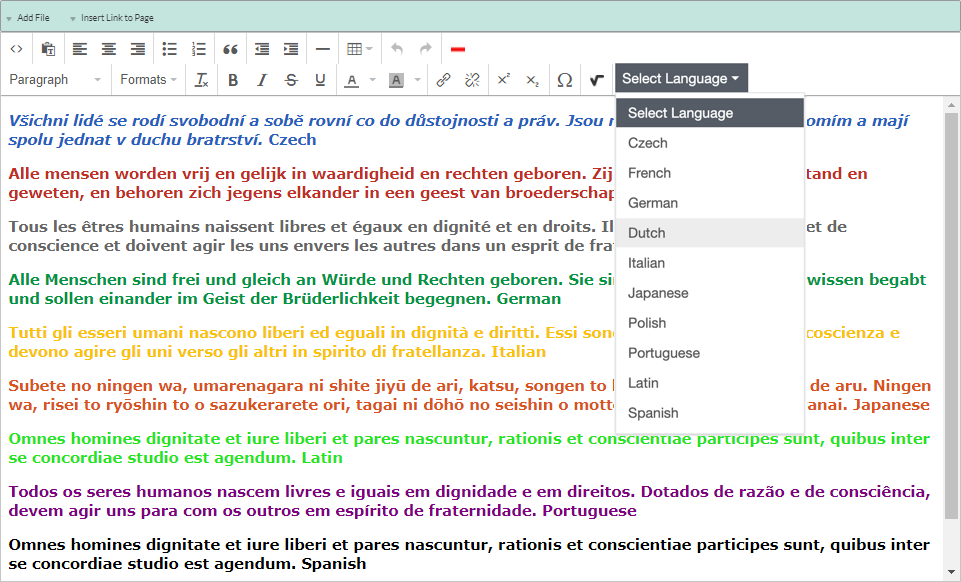
The Select Language dropdown feature allows a user to tag a language
KEYBOARD NAVIGATION
All course content and interactives are also able to be operated by a keyboard so learners can interact with all content without requiring a mouse.
A keyboard accessible drag-and-drop style matching activity.
AI Toolset
AI USAGE DASHBOARD
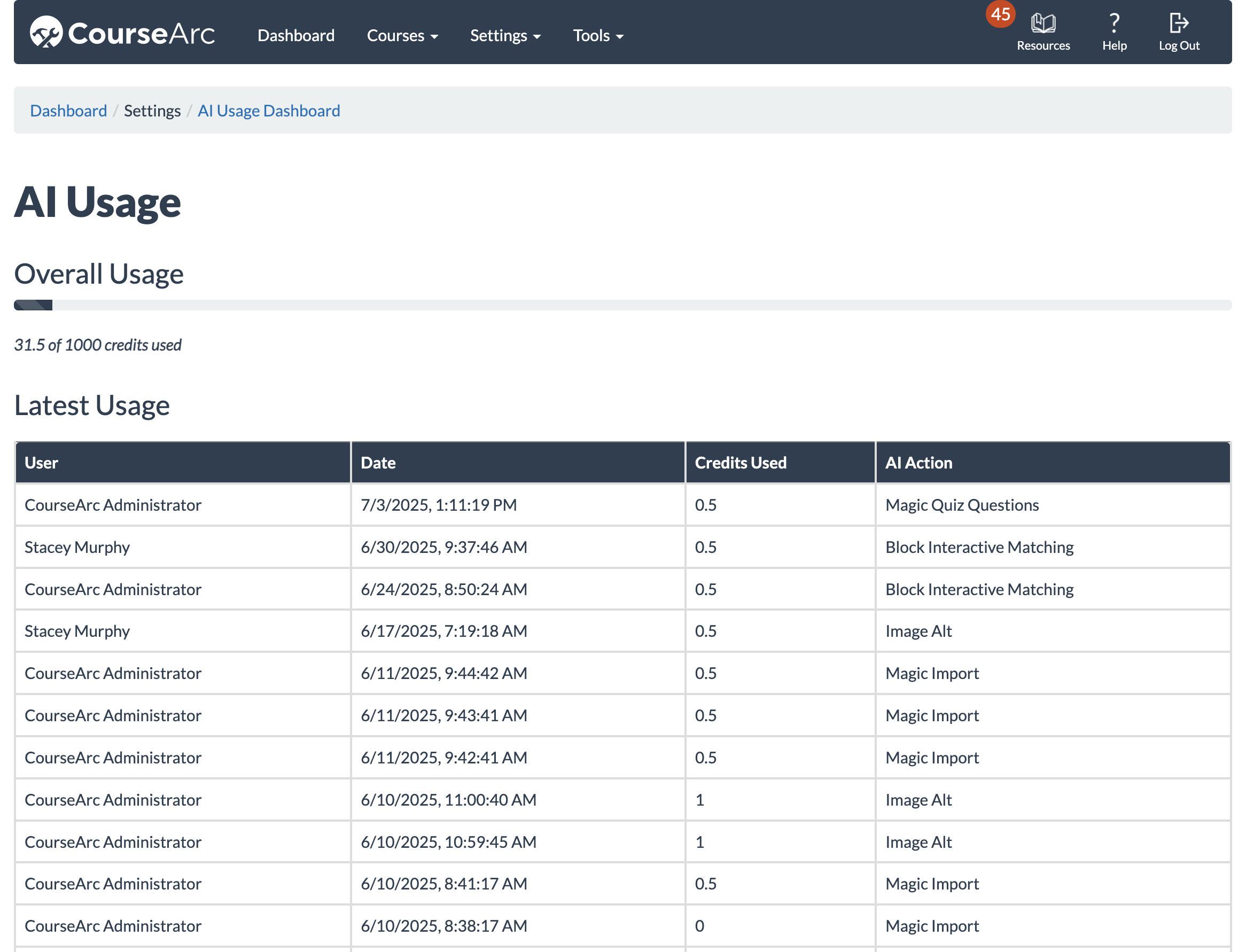
The AI Usage Dashboard provides system administrators with clear insight into AI activity across the platform. View total credit usage, see which users have accessed specific AI tools, and track the number of credits used per interaction. A notification will appear on the main dashboard when 85% of your total credits have been used, helping you stay informed and plan proactively.
AI ALT TEXT & LONG DESCRIPTION GENERATOR
Writing high-quality alt text and long descriptions is essential for accessibility, but it can be a time-consuming task. Our new Alt text & Long Description Generator tool, built directly into the Image block, generates clear, meaningful descriptions in seconds. Whether you’re working with simple icons or complex visuals, this feature helps your team meet accessibility standards more quickly and consistently.
MAGIC IMPORT
MAGIC INTERACTIVES
Here is a sample of the AI generation function in the Interactive Matching block:
MAGIC QUIZ QUESTIONS
Assessment
ANONYMOUS GRADING
Instructors have the flexibility to use anonymous grading with the Writing block. This feature hides learner names during the scoring process to avoid any unconscious bias.
The open-ended writing activity allows instructors to grade anonymously.
ANSWER KEYS
The instructor view features an ANSWER KEY button for displaying quiz answers. Those with the instructor role can make sure the correct answers are selected accurately or facilitate the course even if they are not the subject matter expert.
An answer key is revealed for a multiple choice quiz
ASSESSMENT VARIETY
Measure content objective mastery with personalized formative and summative activities and assessments built directly in CourseArc. Measure different types of knowledge and fully engage and empower learners to be introspective through custom feedback at the response, activity and assessment level.
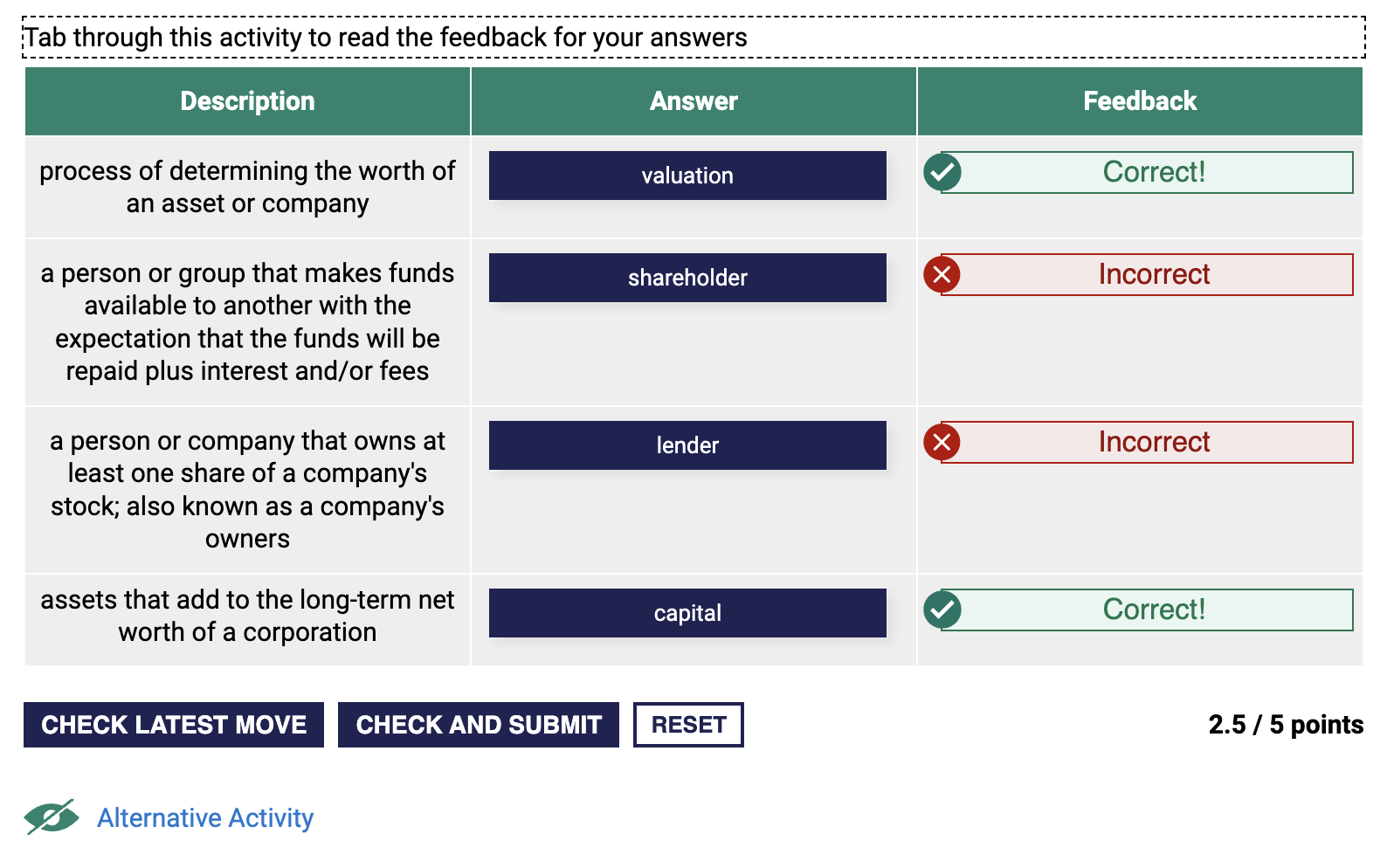
Drag-and-drop style matching activity
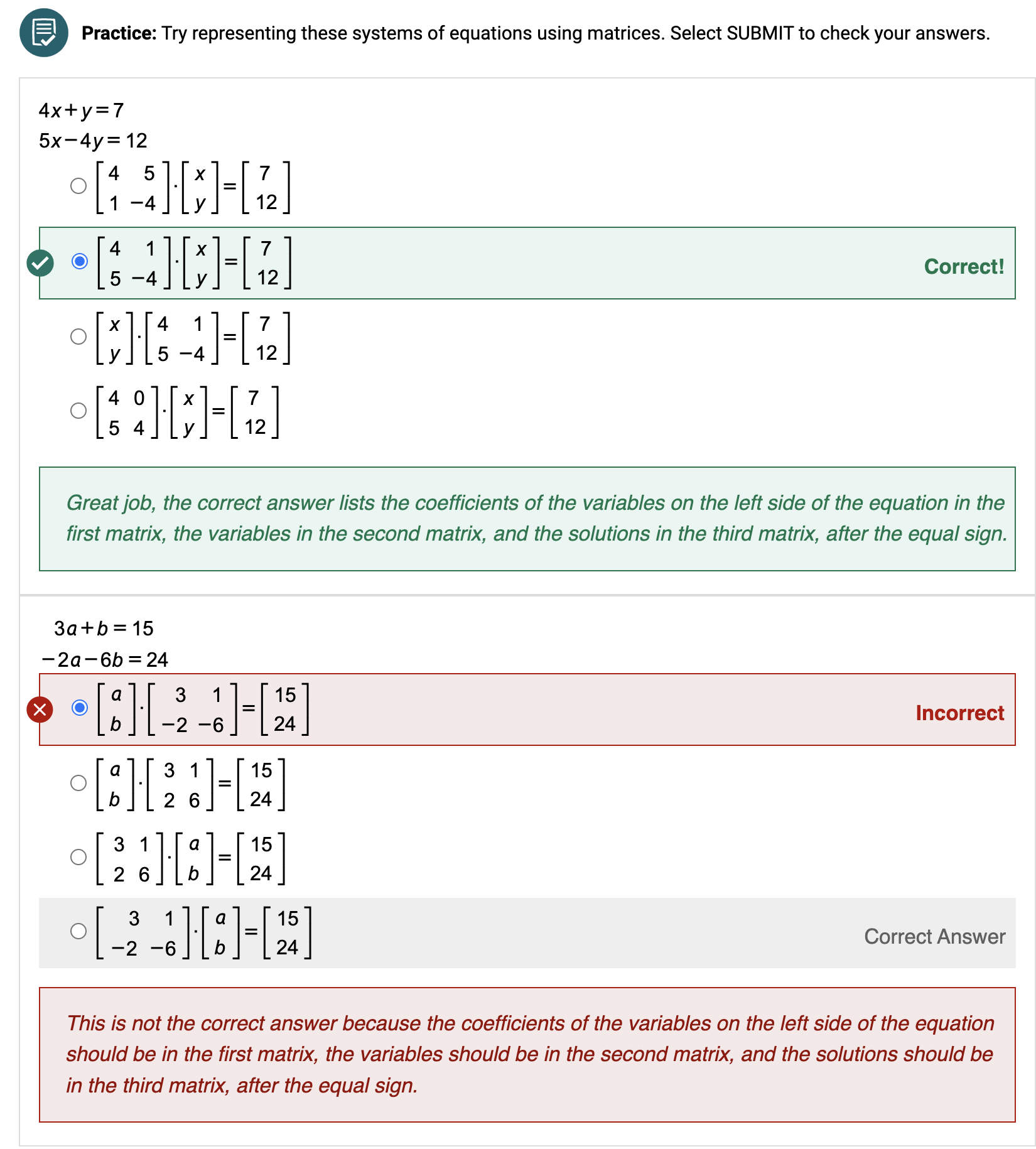
Math quiz with feedback customized based on the answers selected
CERTIFICATES
Award certificates to learners based on completions or quiz scores to boost engagement and allow learners to track and display their achievements.
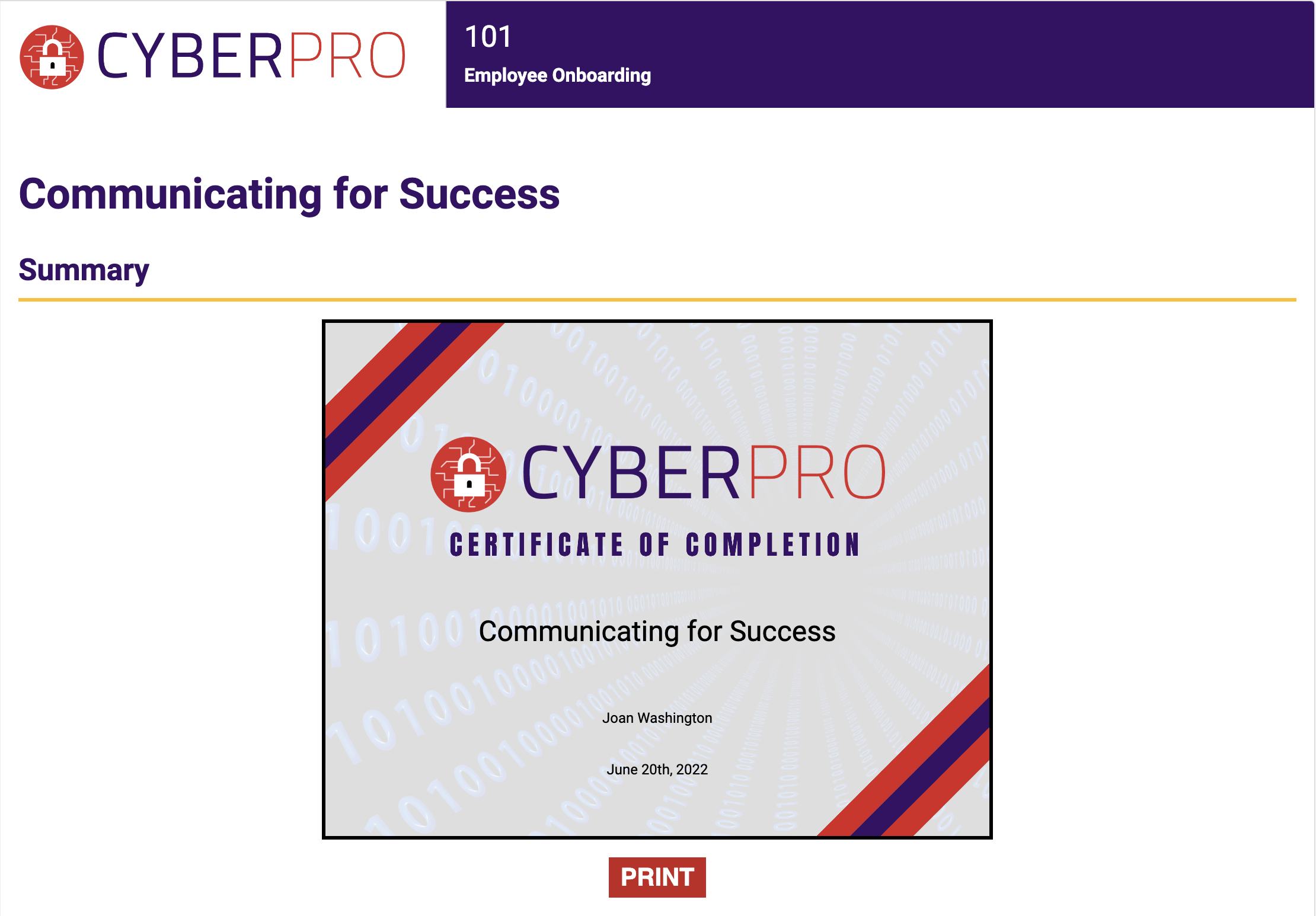
Example of a custom certificate of completion issued to a learner
GRADE PASSBACK
Seamlessly connect data between CourseArc and your Learning Management System’s (LMS) gradebook so all stakeholders can access learner progress directly without burdening instructors.
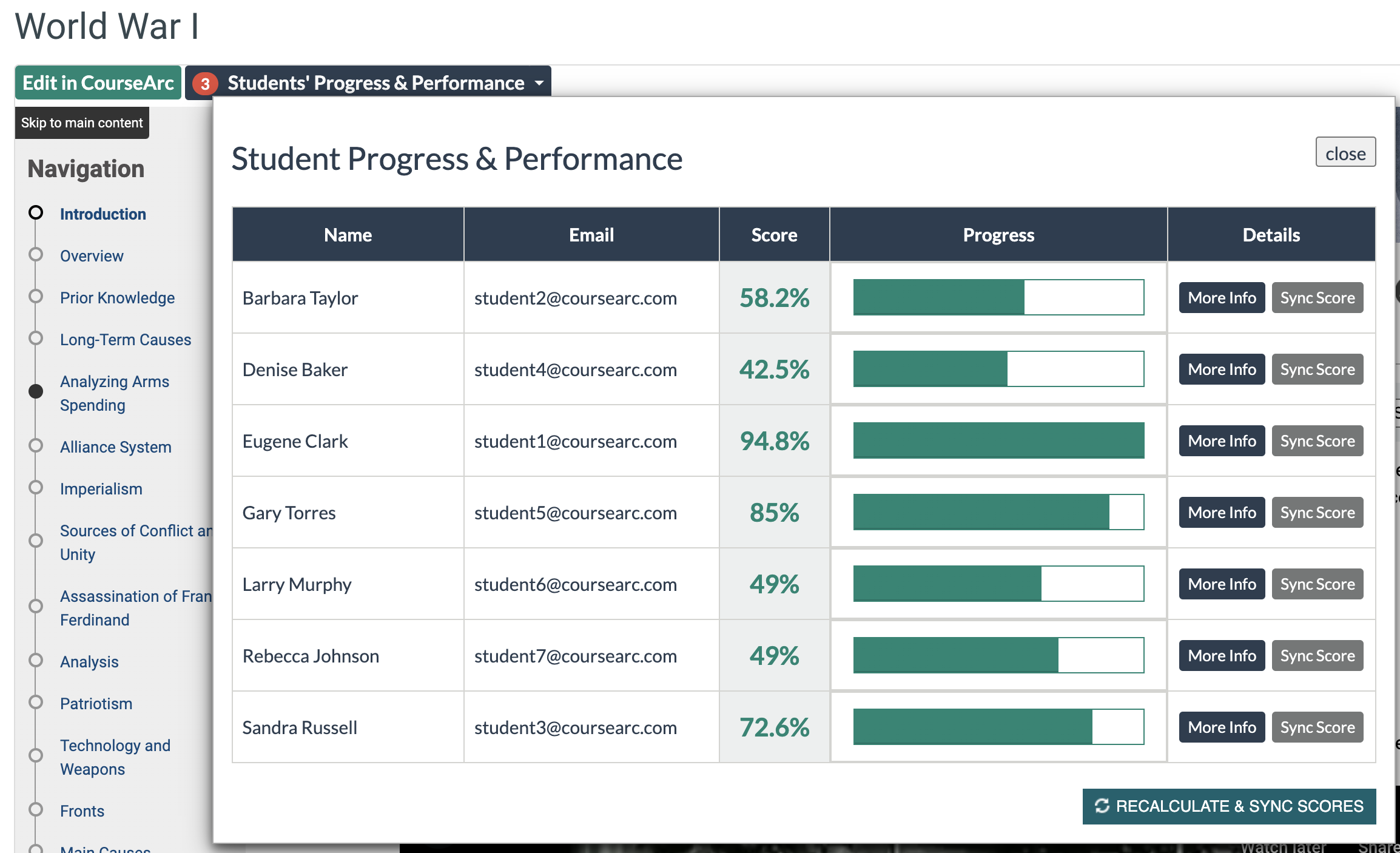
Instructor view of the learners’ scores and progress
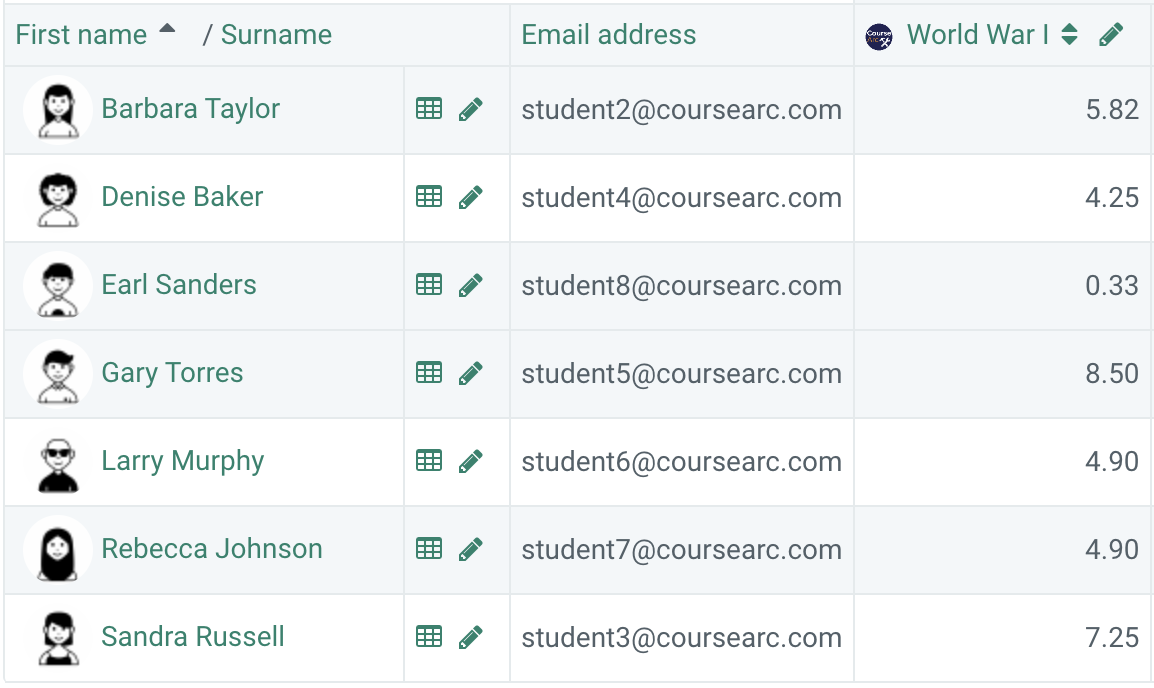
Gradebook view of the same learners’ scores automatically entered via the LTI Integration
QUIZ BANKS
Ensure that assessments are robust, secure and effective by using well-categorized questions that can be randomly assigned to different learners.
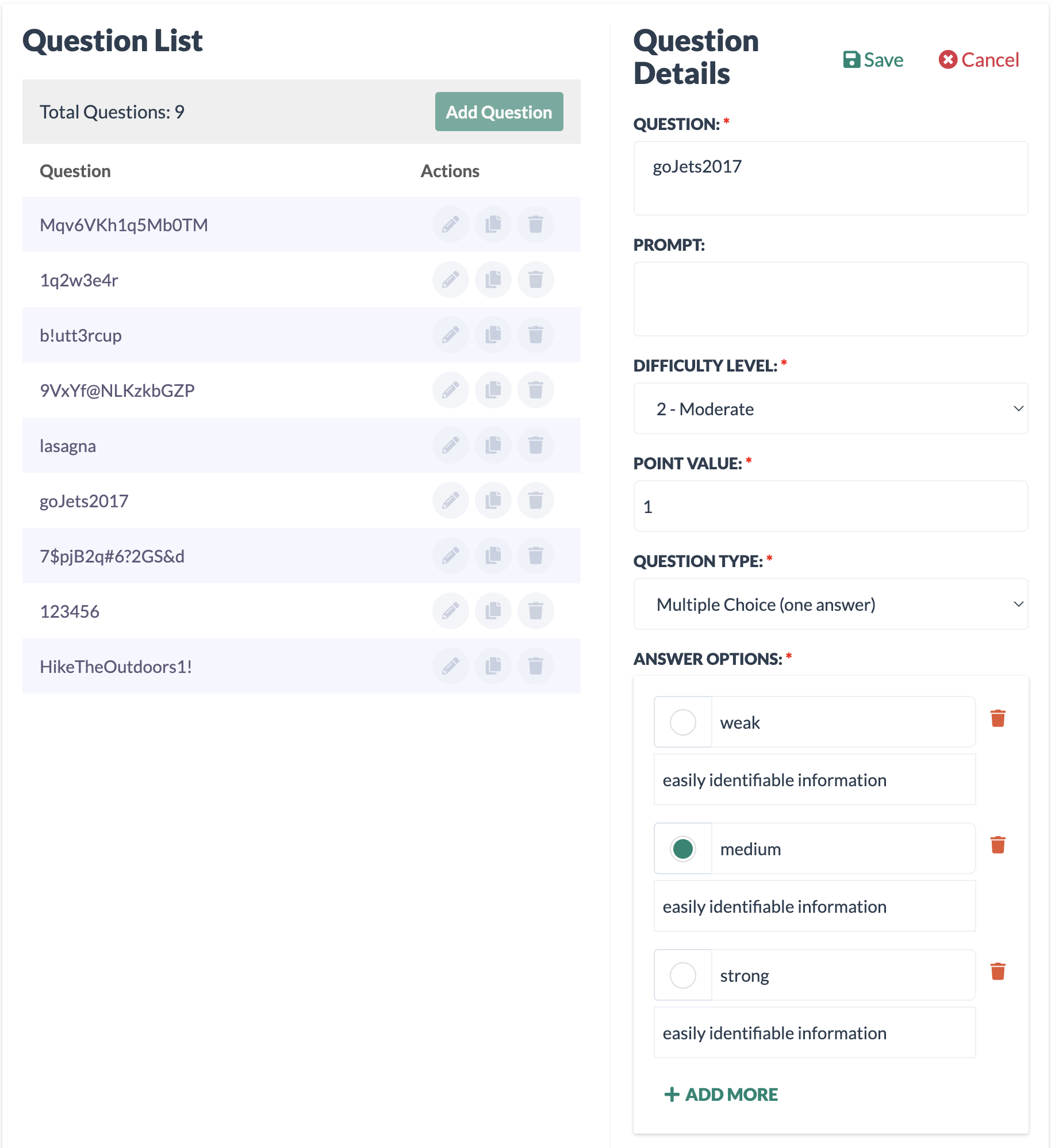
Example of a Quiz Bank
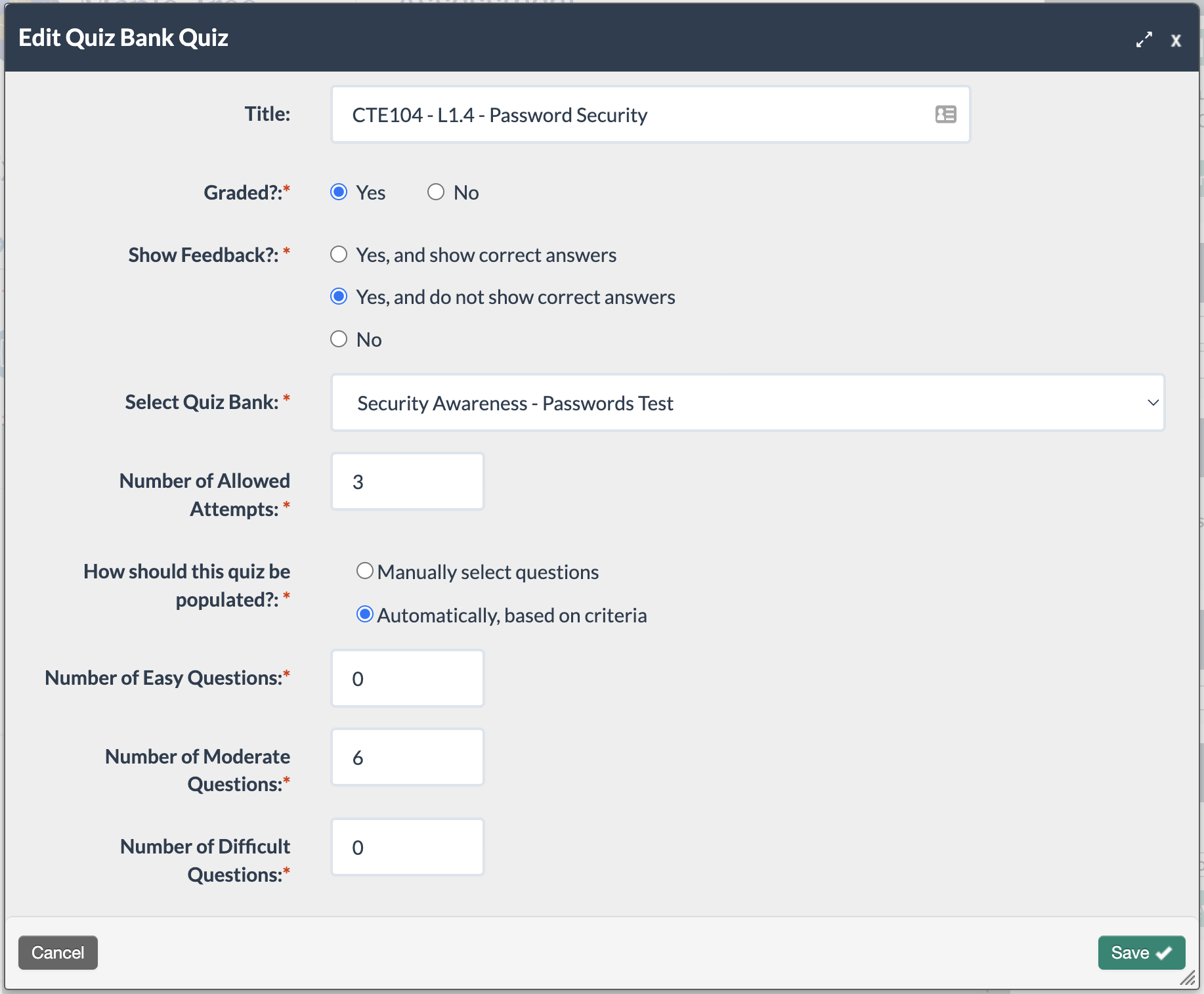
Content creator’s view of the settings in a quiz created from the Quiz Bank
Content Types
AUDIO AND VIDEO
Visually engage learners on any browser and device using multimedia blocks including audio and video.
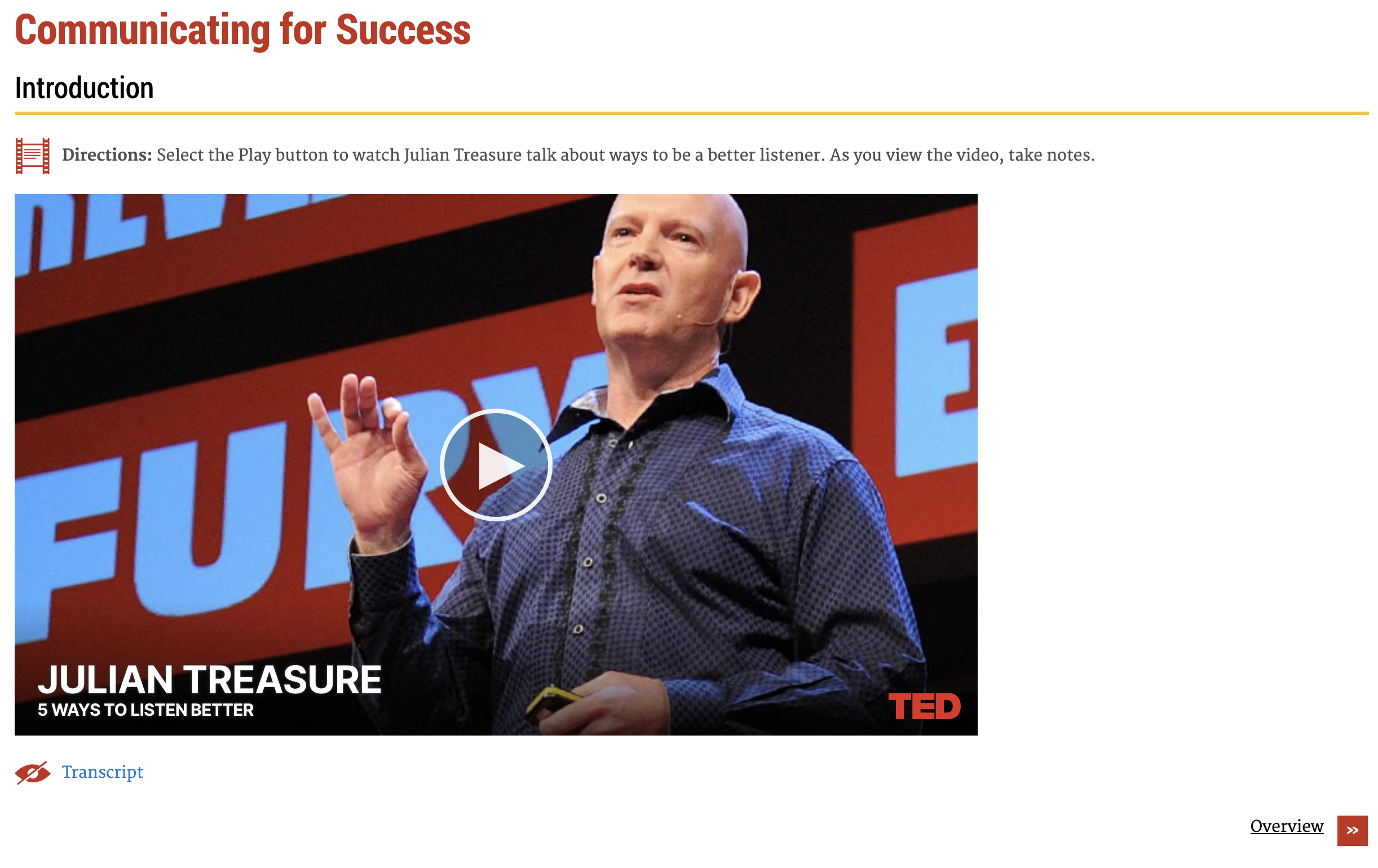
Example of an embedded video
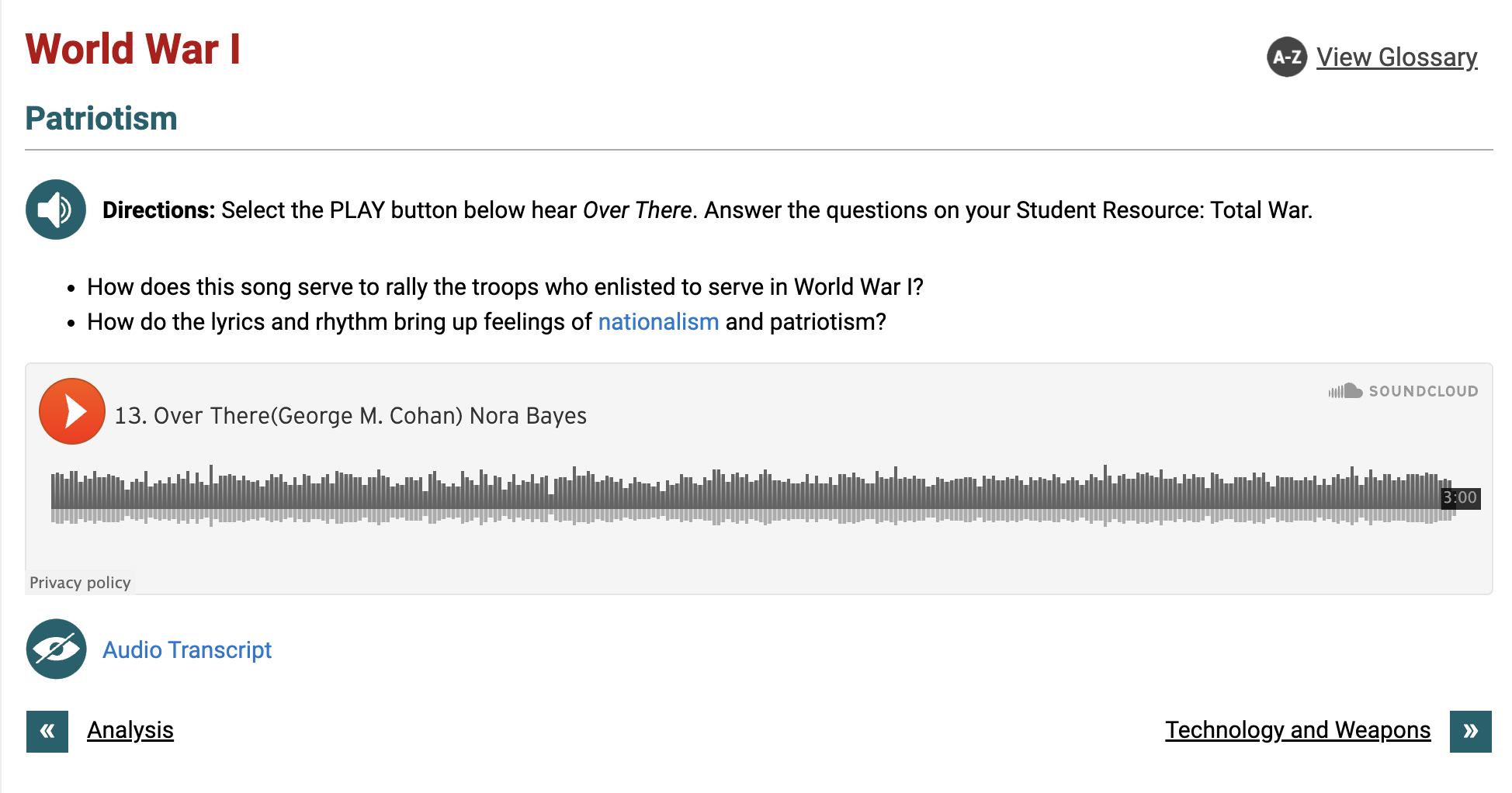
Example of an embedded audio clip
CLICK AND DRAG ACTIVITIES
Make a big impact with online learning that employs varied instruction styles, interactive activities and multiple learning modalities. Reinforce concepts and facilitate deep comprehension with click and drag style activities such as text matching, image matching, image labeling, categorization and classification. All click and drag activities are keyboard accessible too! (Explore all block types here.)
Example of a classification activity
CUSTOM CODE
Seamlessly combine resources by embedding external content onto the CourseArc page or using our HTML & Zip Embed blocks.
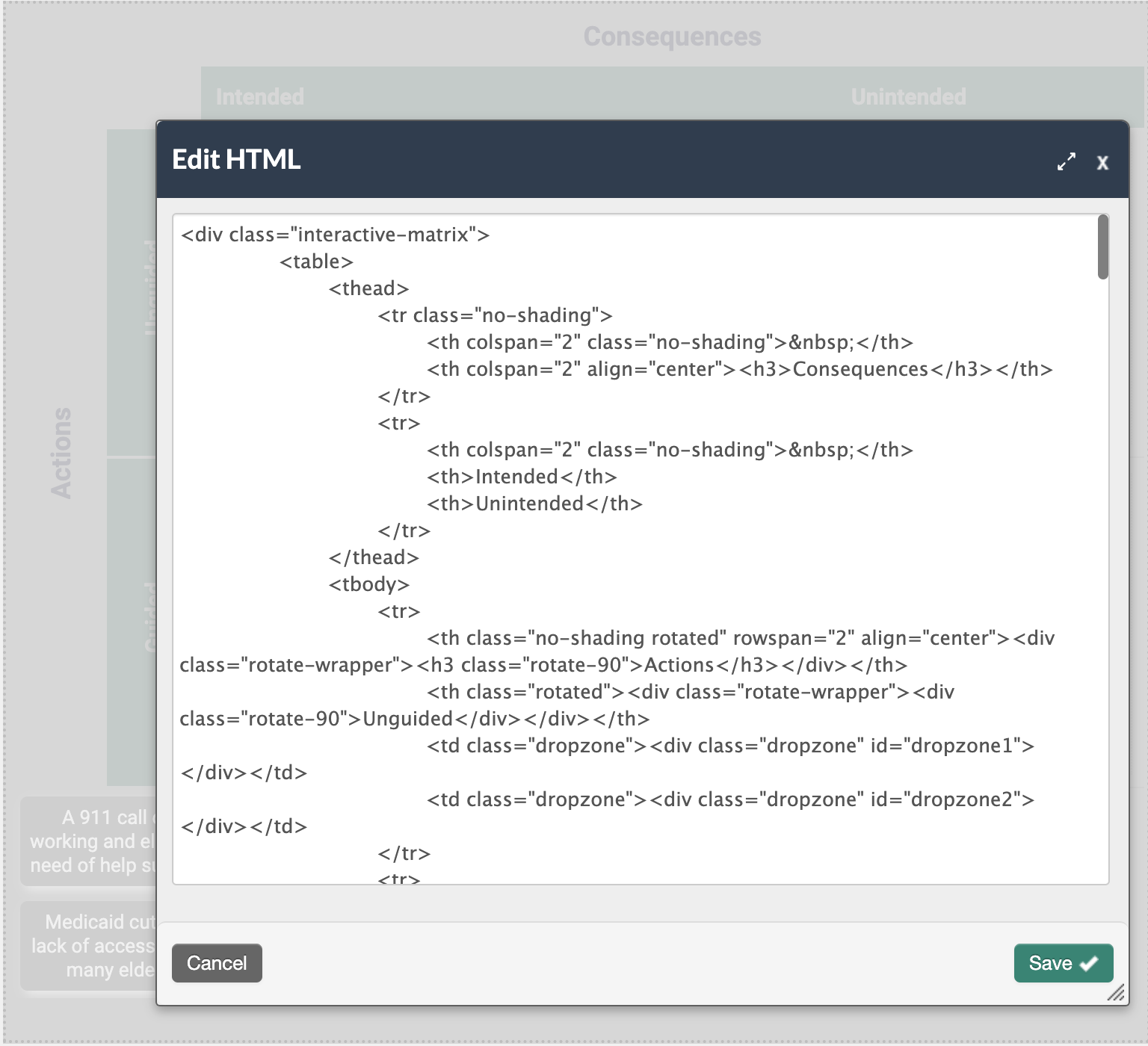
Portion of HTML code
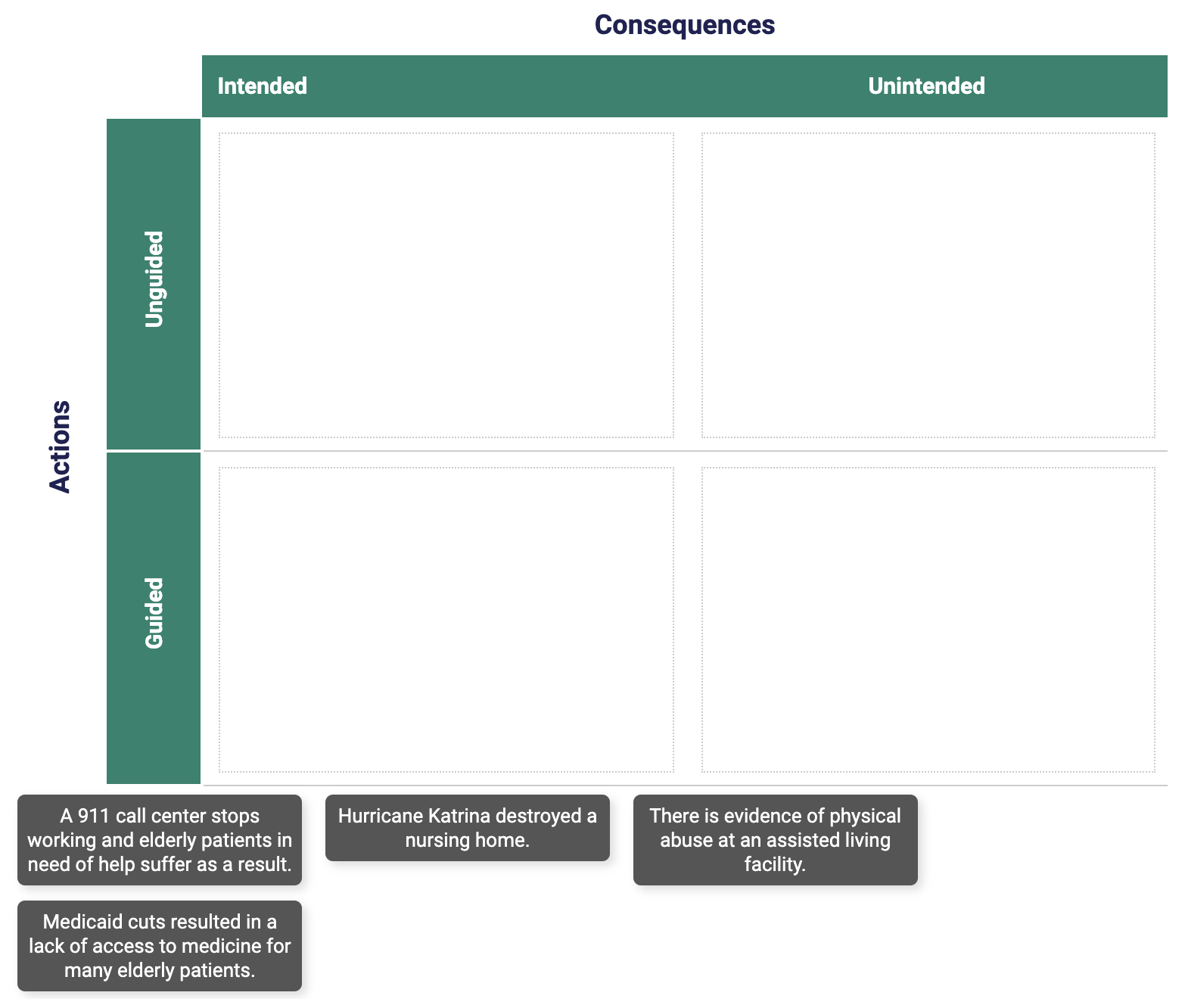
Example of an embedded activity created with HTML
INTERACTIVE IMAGE ACTIVITIES
Visuals are an essential part of online learning, and with CourseArc, you can make your images more engaging and assess a learner’s understanding with image hotspots, image labeling, image matching, image flashcards, and slideshow blocks. (Explore all block types here.)
Example of an image hotspots activity
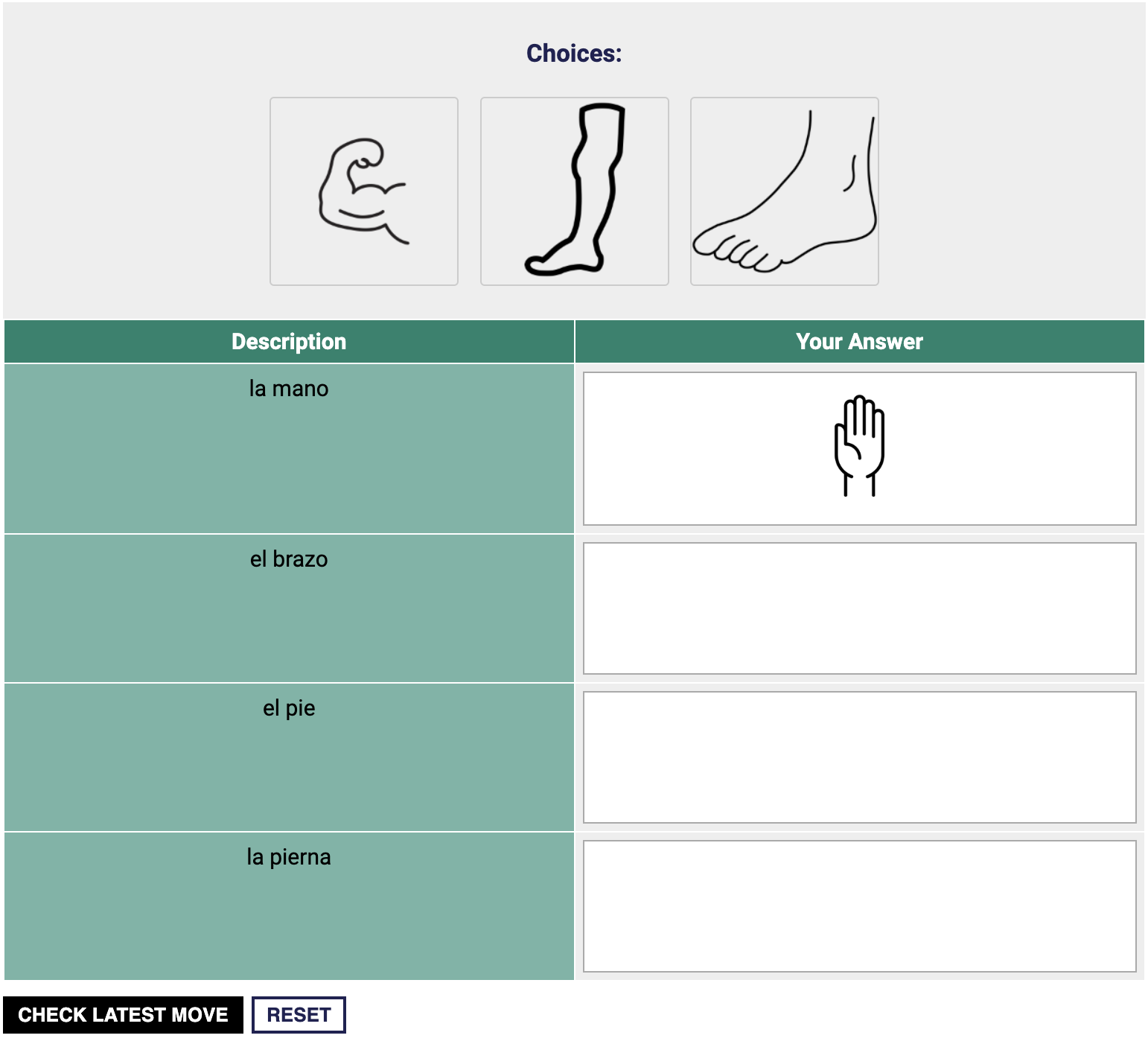
Example of an image matching activity
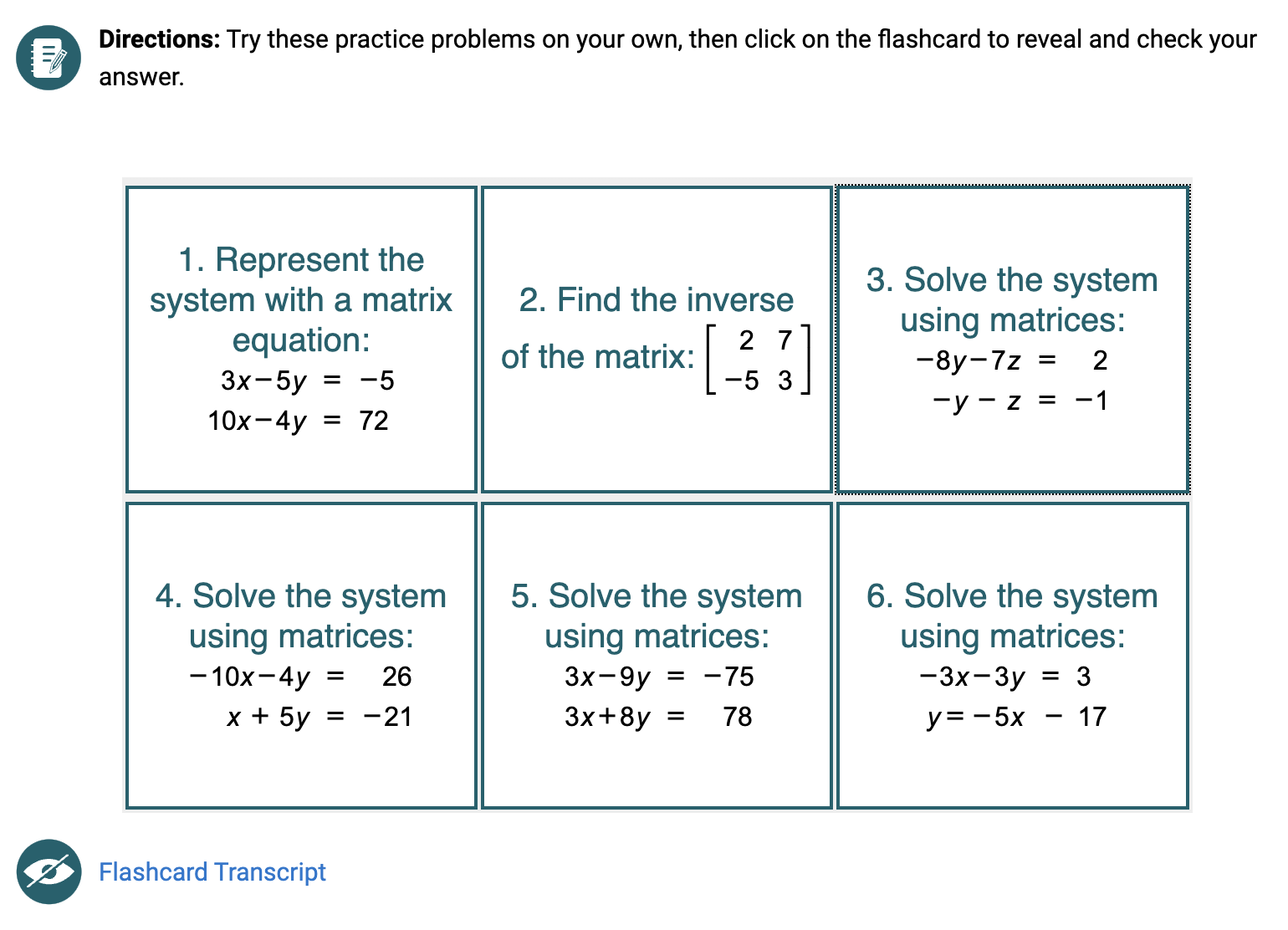
Example of an image flashcards activity
POLLS AND SURVEYS
Elicit learner responses using customizable surveys and polls.
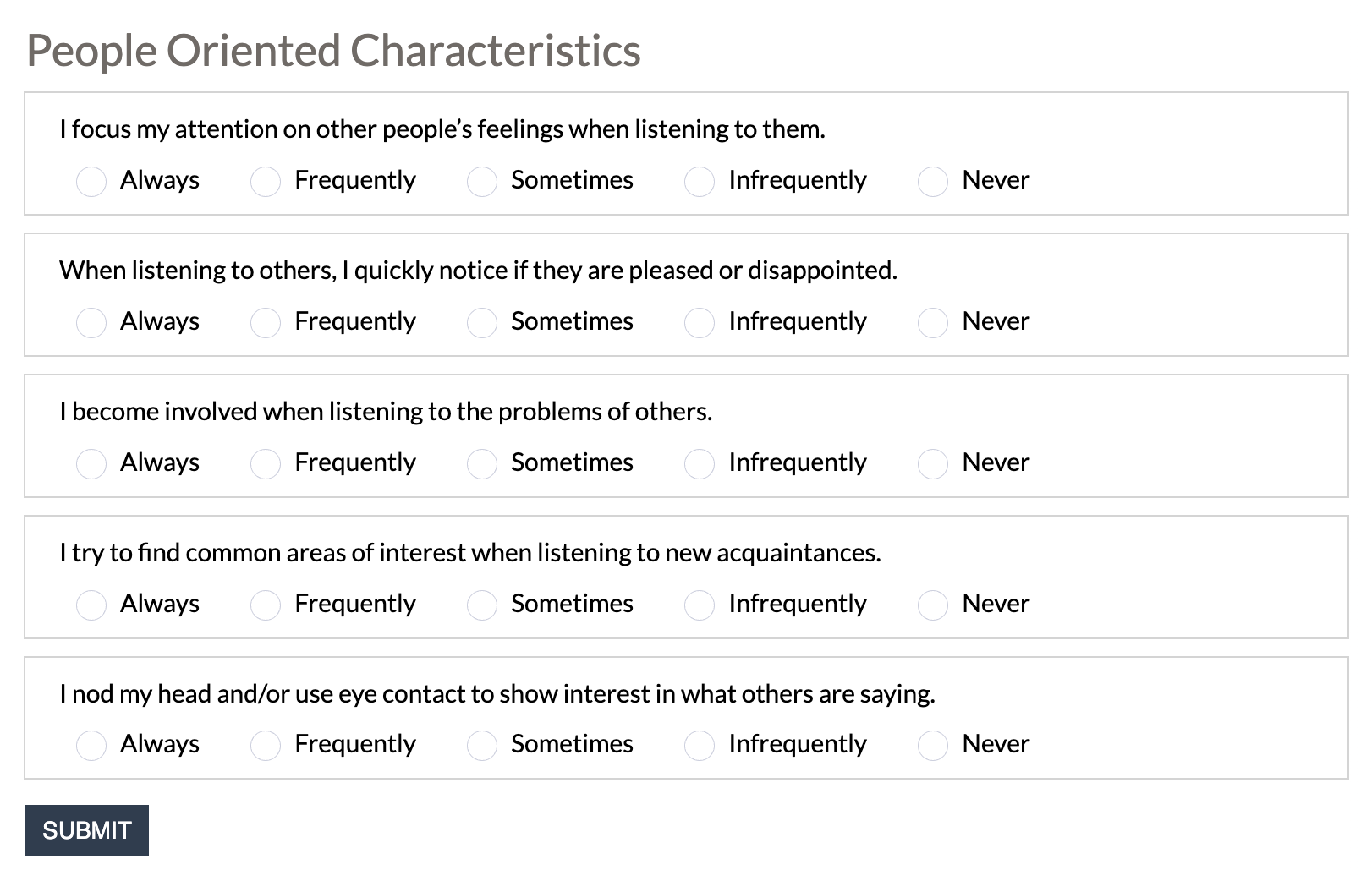
Example of a survey activity
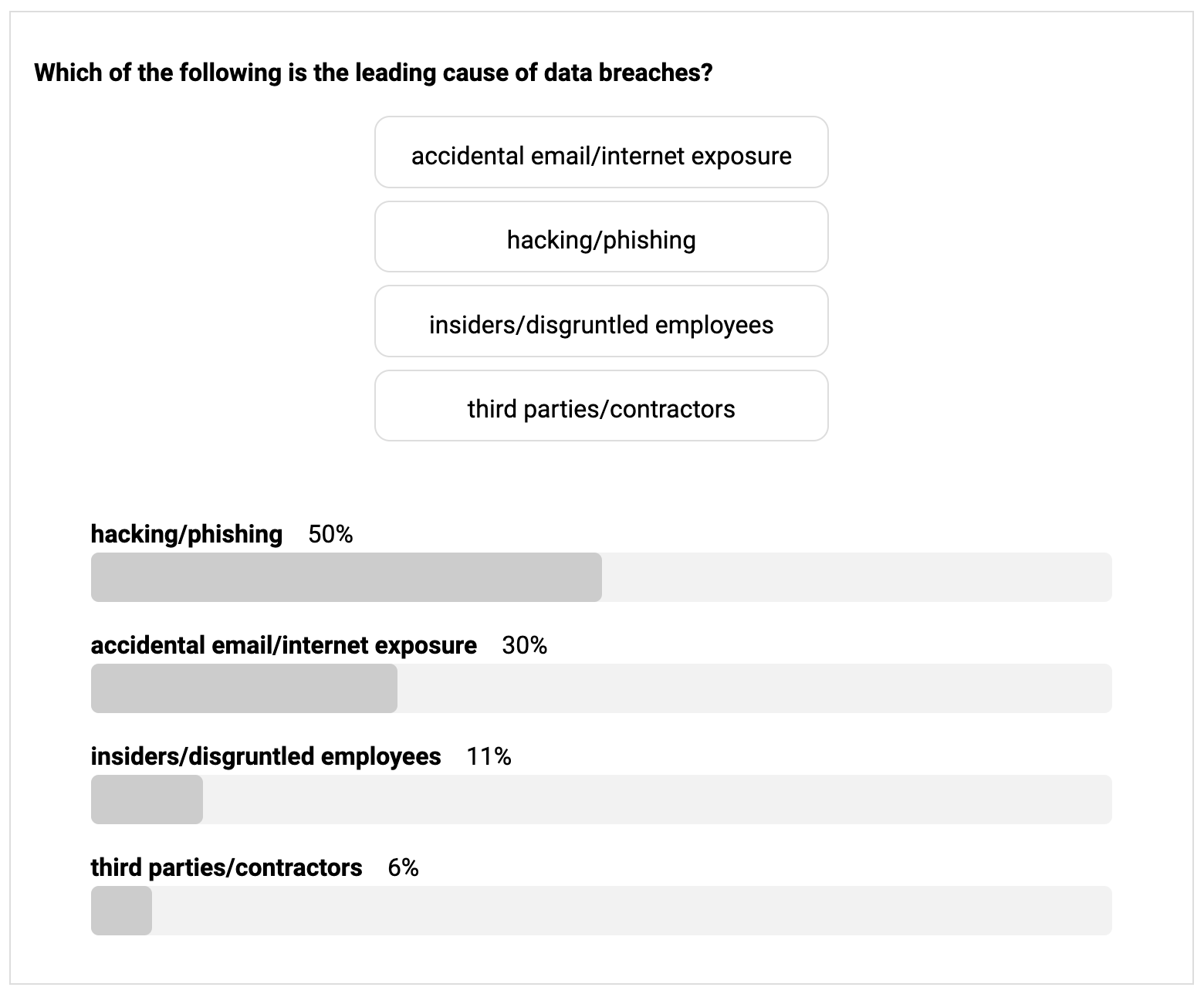
Example of a poll activity
Design
CUSTOMIZED BRANDING
Strengthen your brand using themes and icon sets—all customized with your colors and logo by CourseArc’s graphic design team, included as part of your implementation of CourseArc.
Examples of customized themes
DESIGN SERVICES
CourseArc’s graphic design team can assist with new or unique requirements through our customized design services.
Examples of custom image designs
DESIGN TEMPLATES
Effortlessly exude polish, professionalism and consistency in every course design using customized boilerplates and templates. Your courses reflect the branding of your organization so learners have a high-quality experience every time.
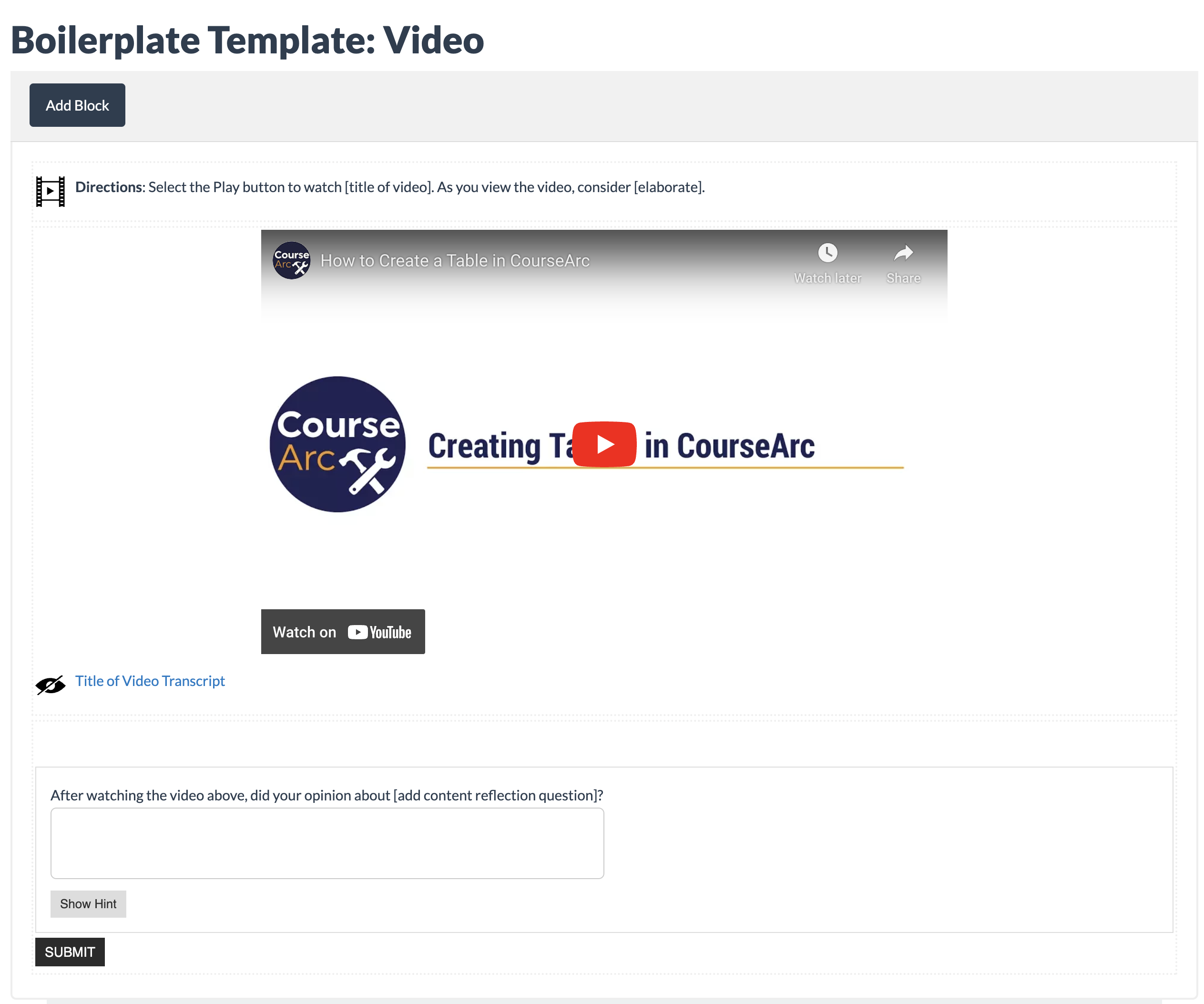
Example of a video boilerplate template
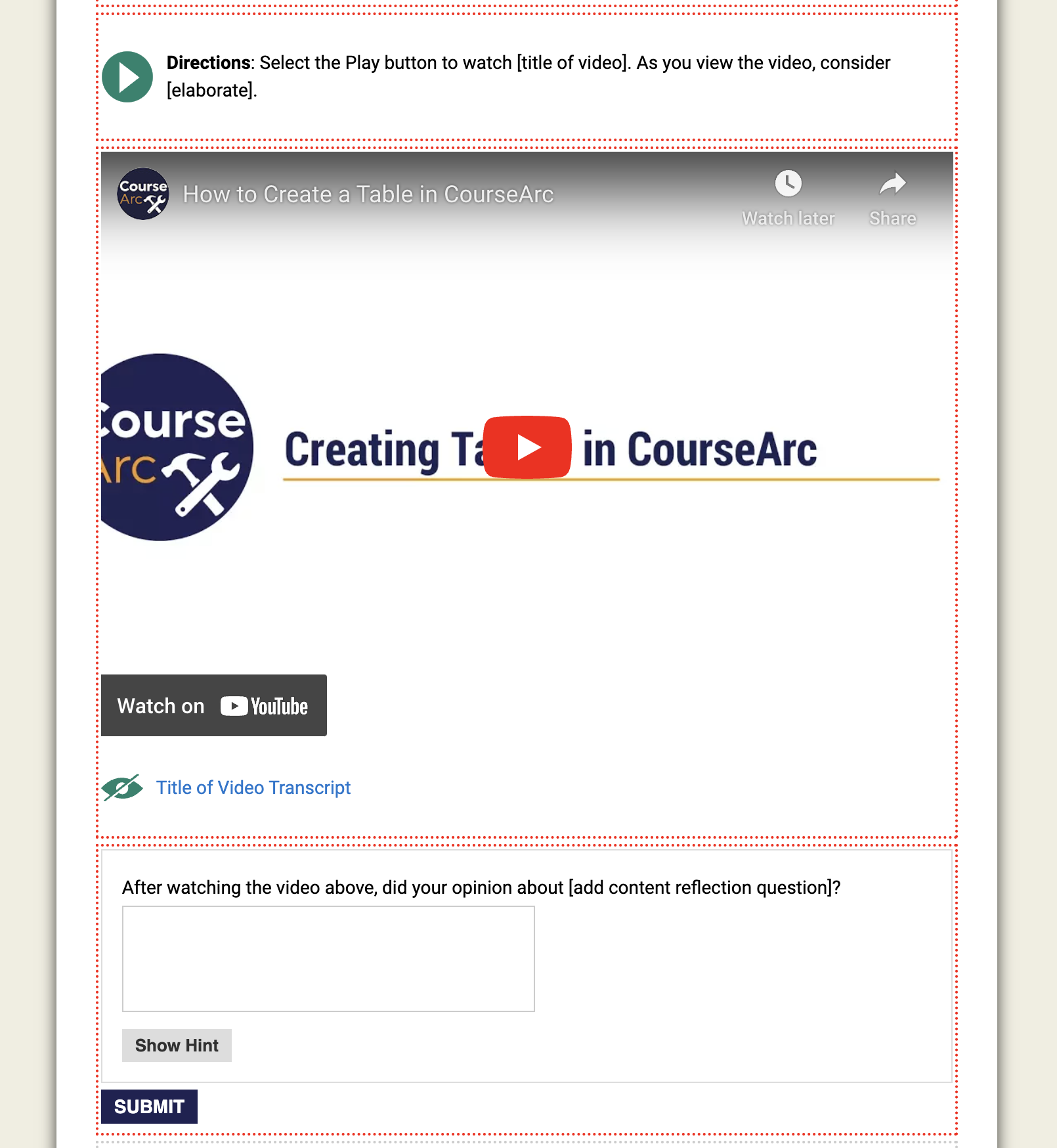
Video template added to a page
MODULAR DESIGN
Weave together multiple learning modalities using our modular design tools to easily assemble content blocks on the page. With a large selection of block types, designers can integrate quickly and include formative and summative assessments, guided practice and multi-modal learning objects that get to the heart of comprehension.
Example of a page in edit mode with different activity and content block types
WHITE LABELING
Create content and instantly apply any design needed with your own brand or the brand of your client with our multi-branding feature. Using the LTI connection, learners from different organizations see courses with their assigned branding.
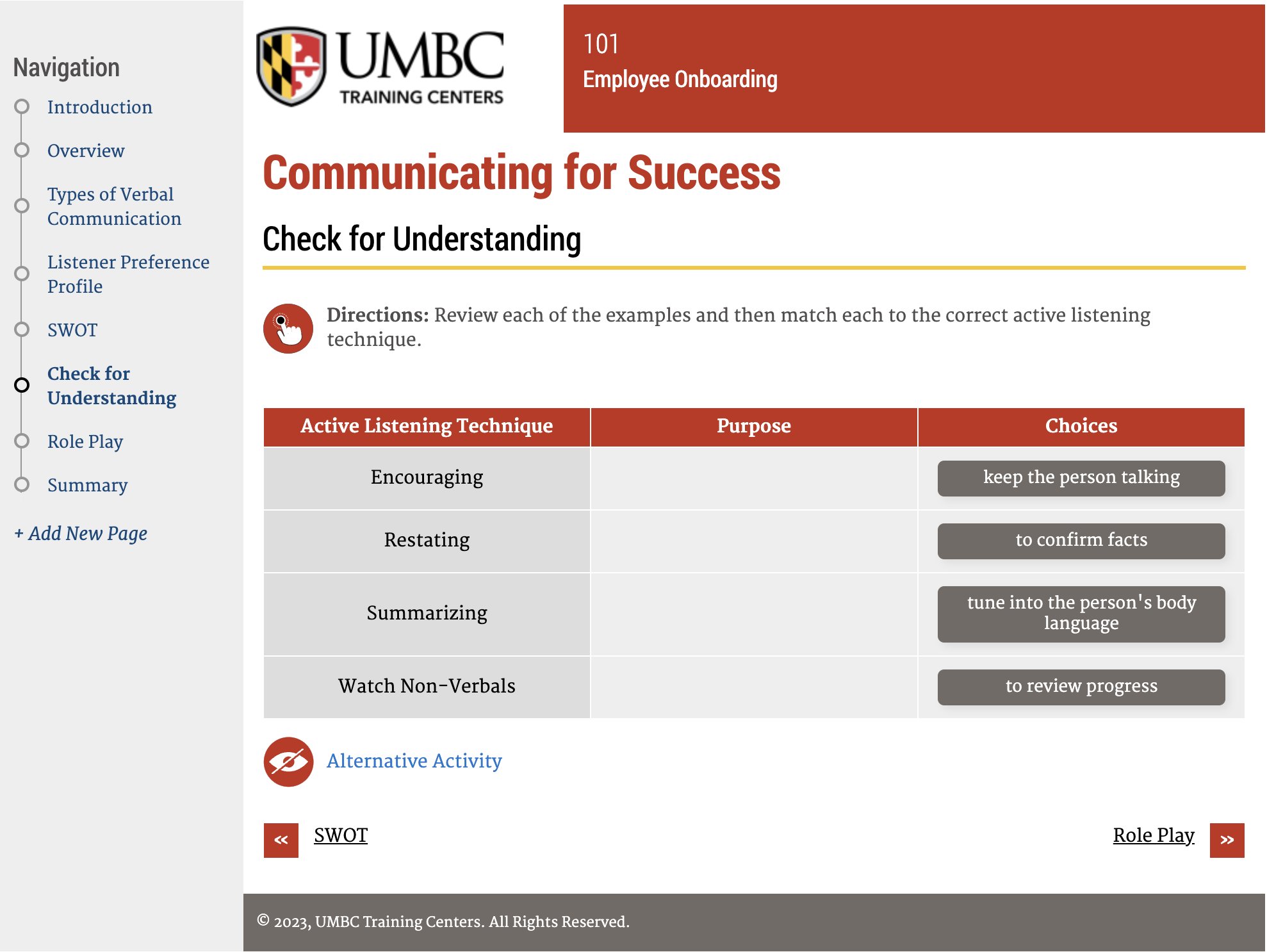
Communication content shown with red theme applied
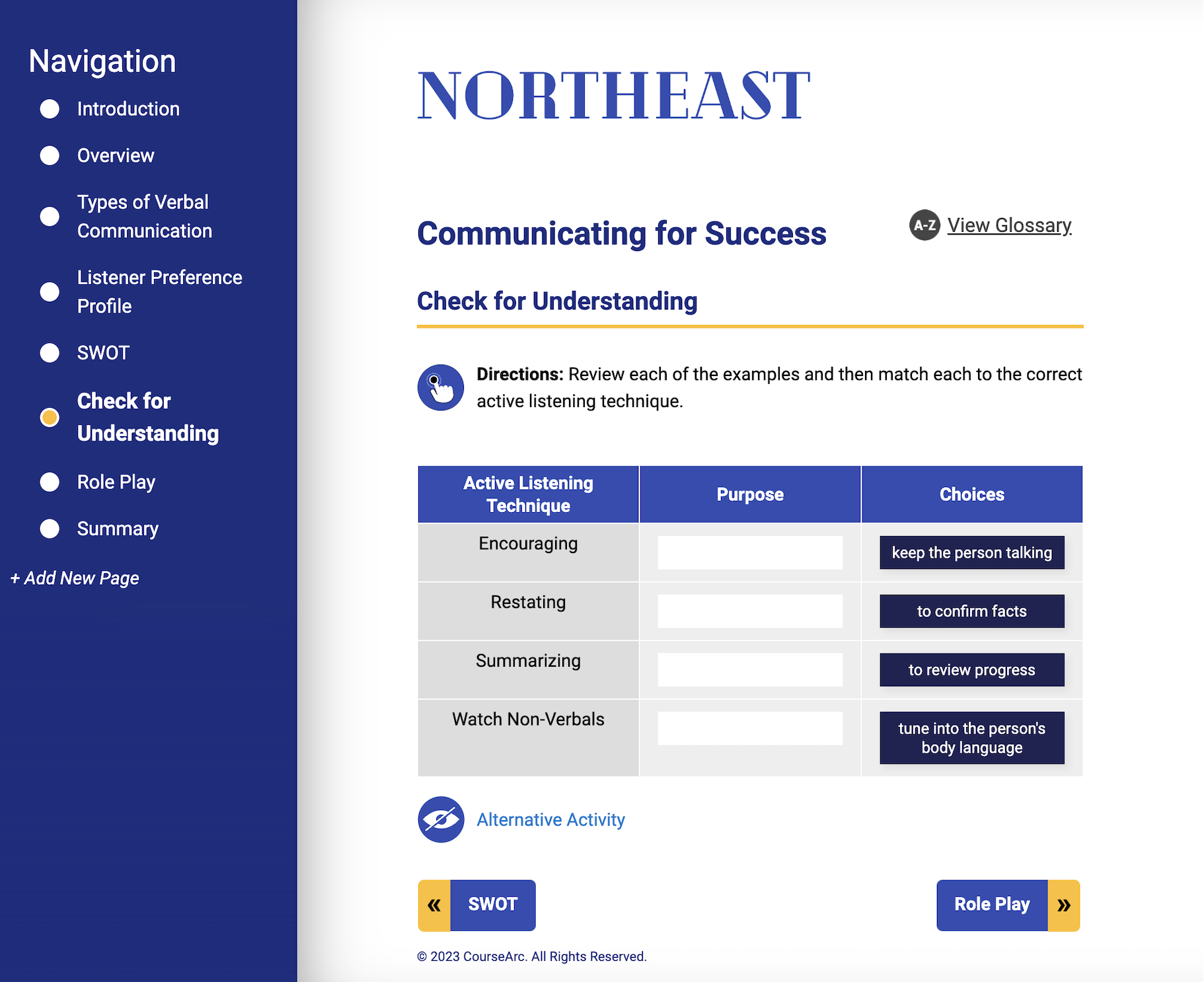
Same communication content shown with blue theme applied
PAGE LAYOUT AND DESIGN
Achieve the ideal experience with flexible page layout options including:
- Accordions
- Citation
- Icon and Text
- Icon and Link to Pop Up Text
- Image
- Quote
- Sidebar
- Section Break
- Standout
- Tabs
- 2-Column page
Any block, any page, any combination, any way you want!
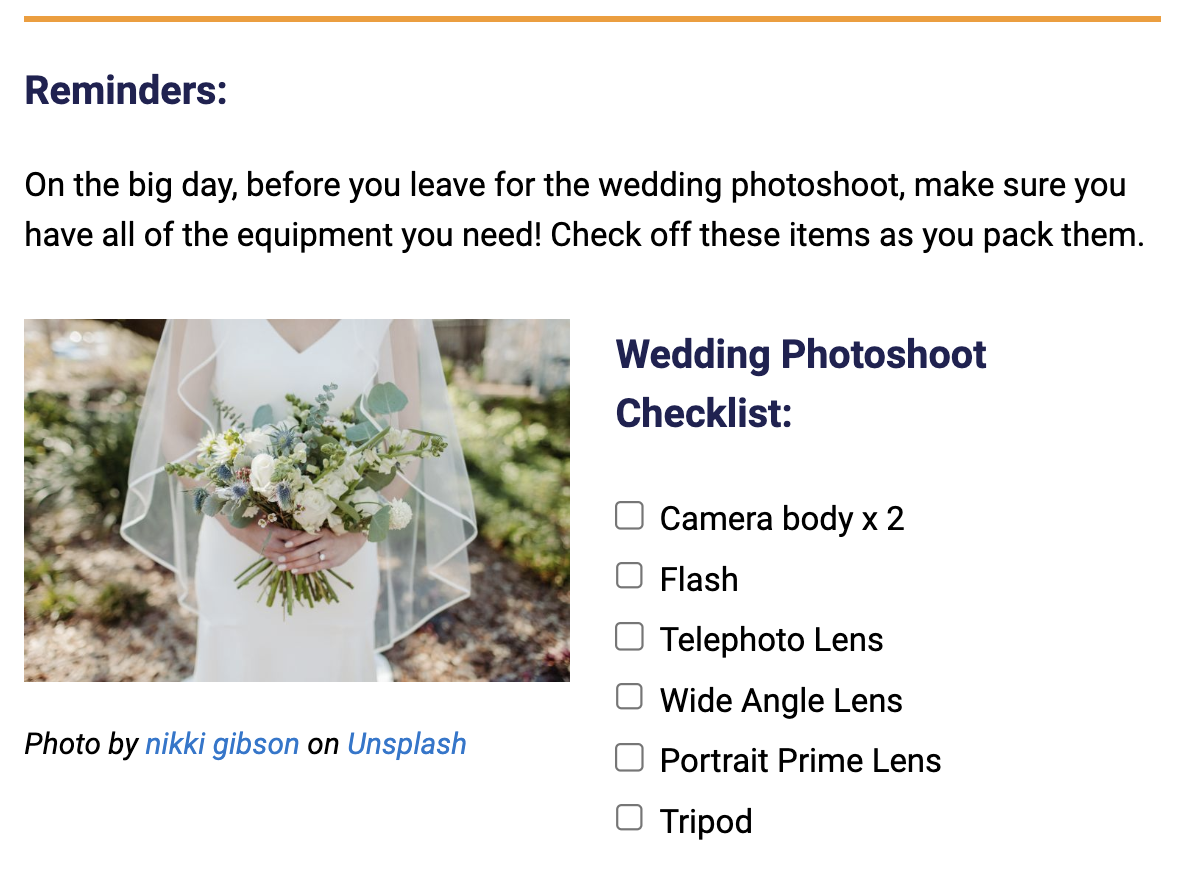
Example of a 2-Column page layout
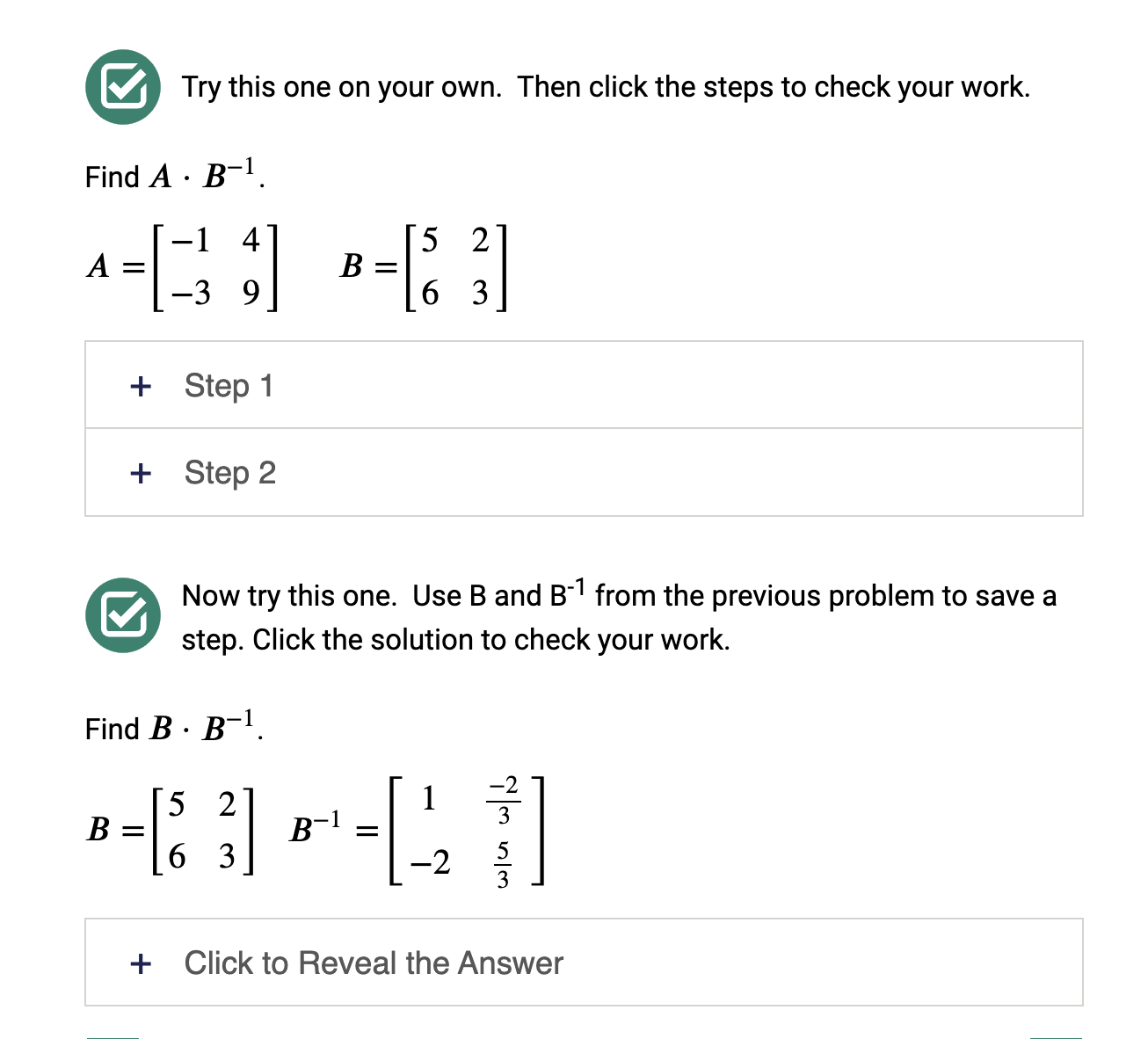
Example of accordions on a content page
RESPONSIVENESS
Content created in the CourseArc platform automatically responds and adjusts to different screen sizes so every device works how and when learners need, whether viewing content in a traditional classroom or out in the field.
The rubric’s layout is adjusted based on the user’s screen width.
Instructor Tools
COPYRIGHT
Comply with copyright law by using our attribution tool to credit original ideas that are used in online content. Store and manage citation information centrally at the file’s source directly in the File Manager.
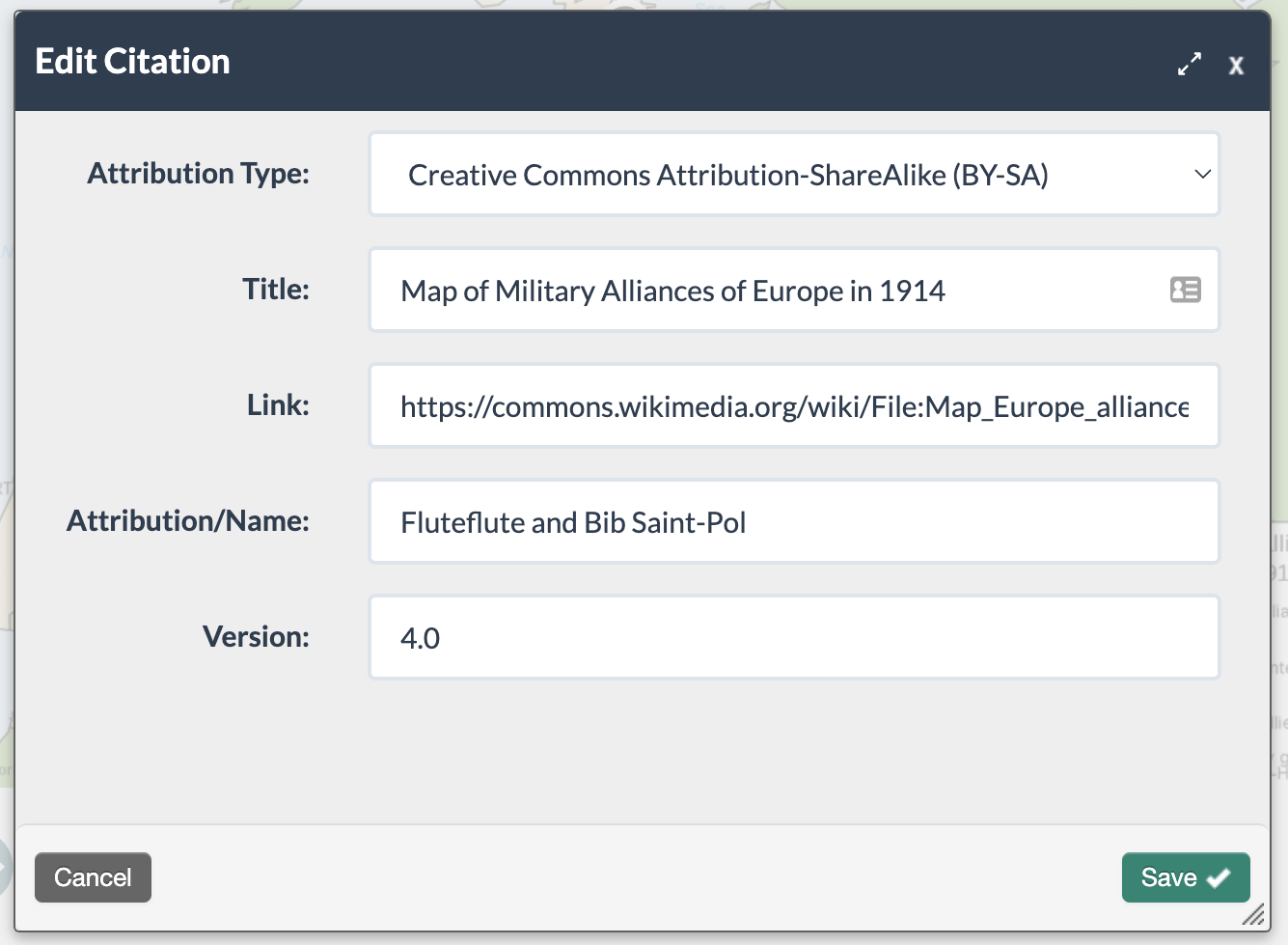

Example of an image citation in edit mode and published views
EQUATION EDITOR
Build accurate and high-quality formulas and equations to deliver a powerful learning experience for STEM content.
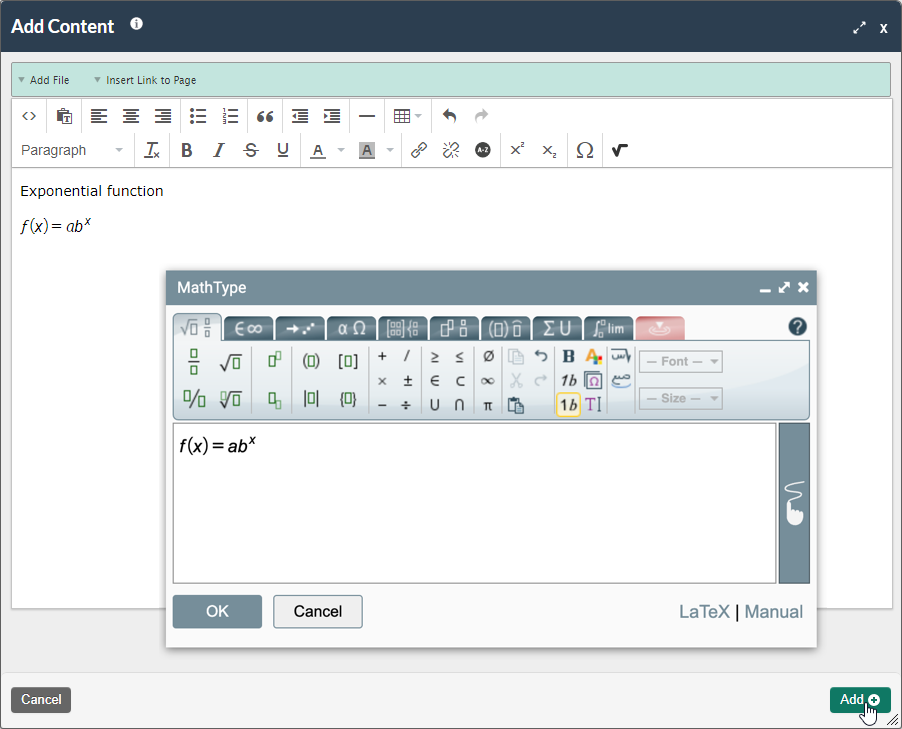
Example of an equation added using the Equation Editor
GLOSSARY
Support vocabulary attainment with the CourseArc glossary feature. Subject matter experts can quickly import large glossaries from a spreadsheet, connecting key terms across courses using a variety of modalities/media to define each word.
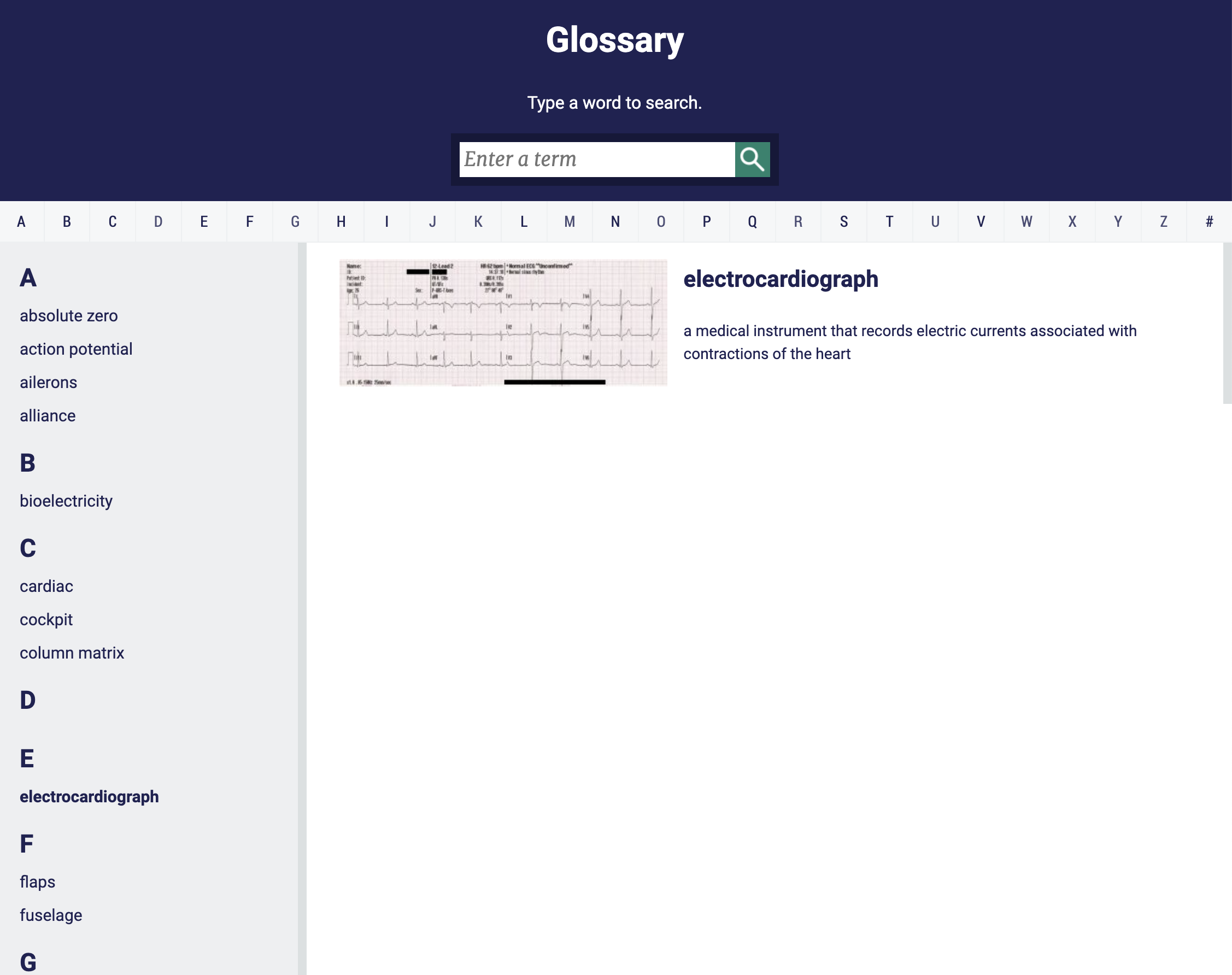
View of a Glossary from the learner’s perspective
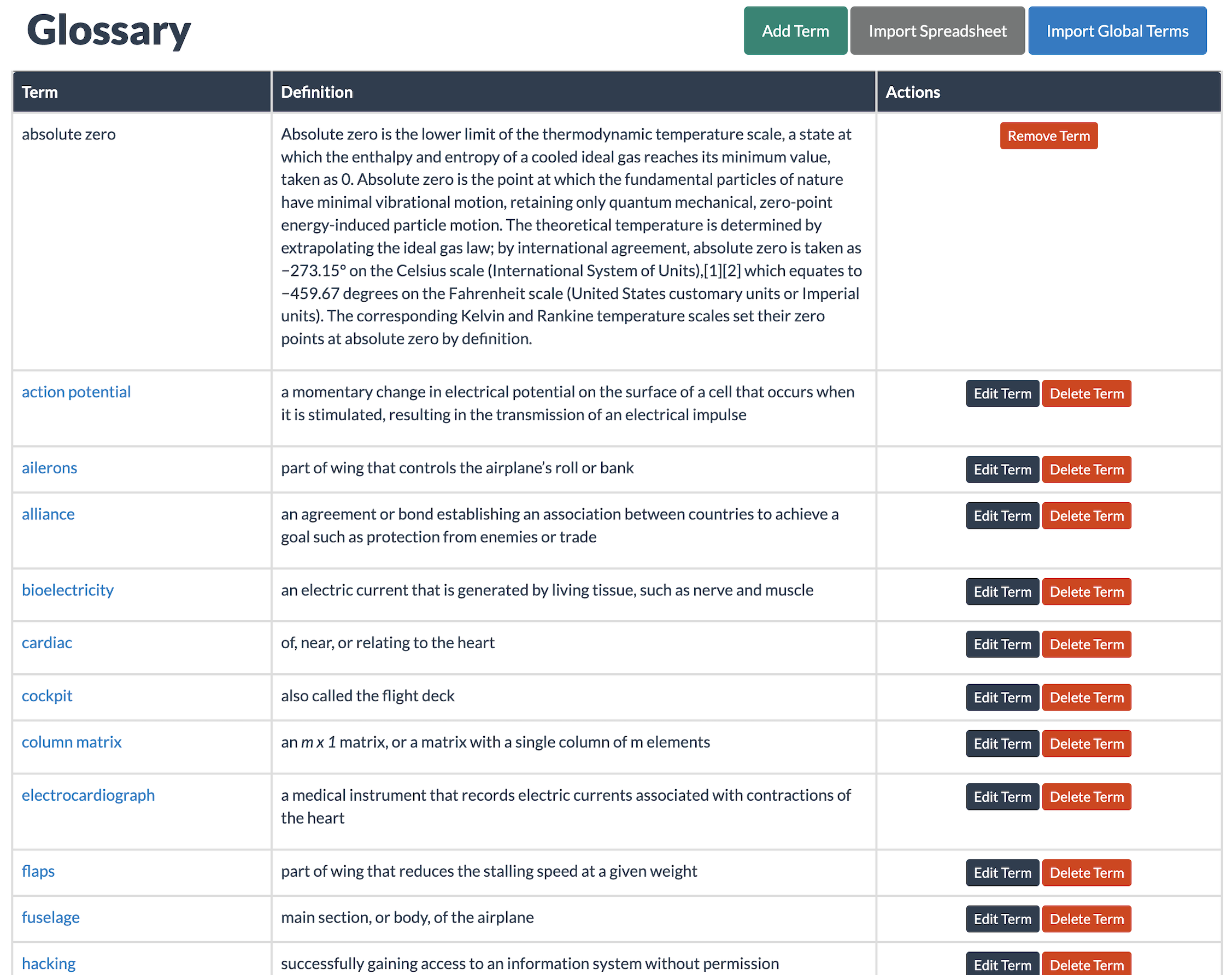
View of a Glossary from the content creator’s perspective
INSTRUCTOR NOTES
Support instructors facilitating content in the Learning Management System (LMS) with the Instructor Notes block that allows you to add custom content only viewable by those granted the instructor role in your LMS.
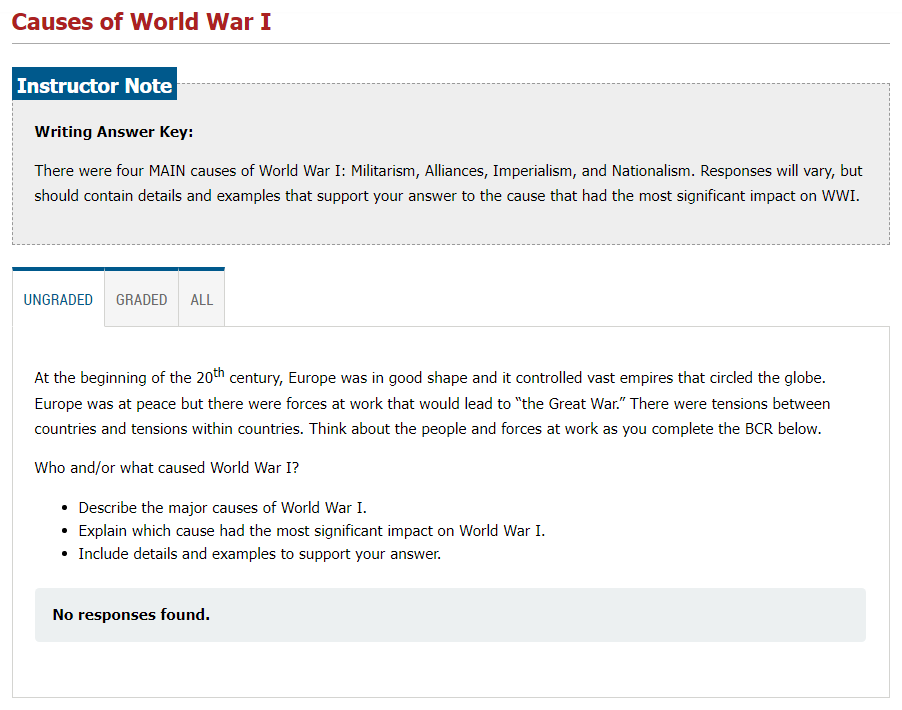
Example of an Instructor Note with an answer key
STEM TOOLS
Visually display complex information using our equation and graphing tools. Learners can check their answers on graphs to get instant feedback. Teach learners to code using our Markdown block.
Example of an equation added using the Equation Editor
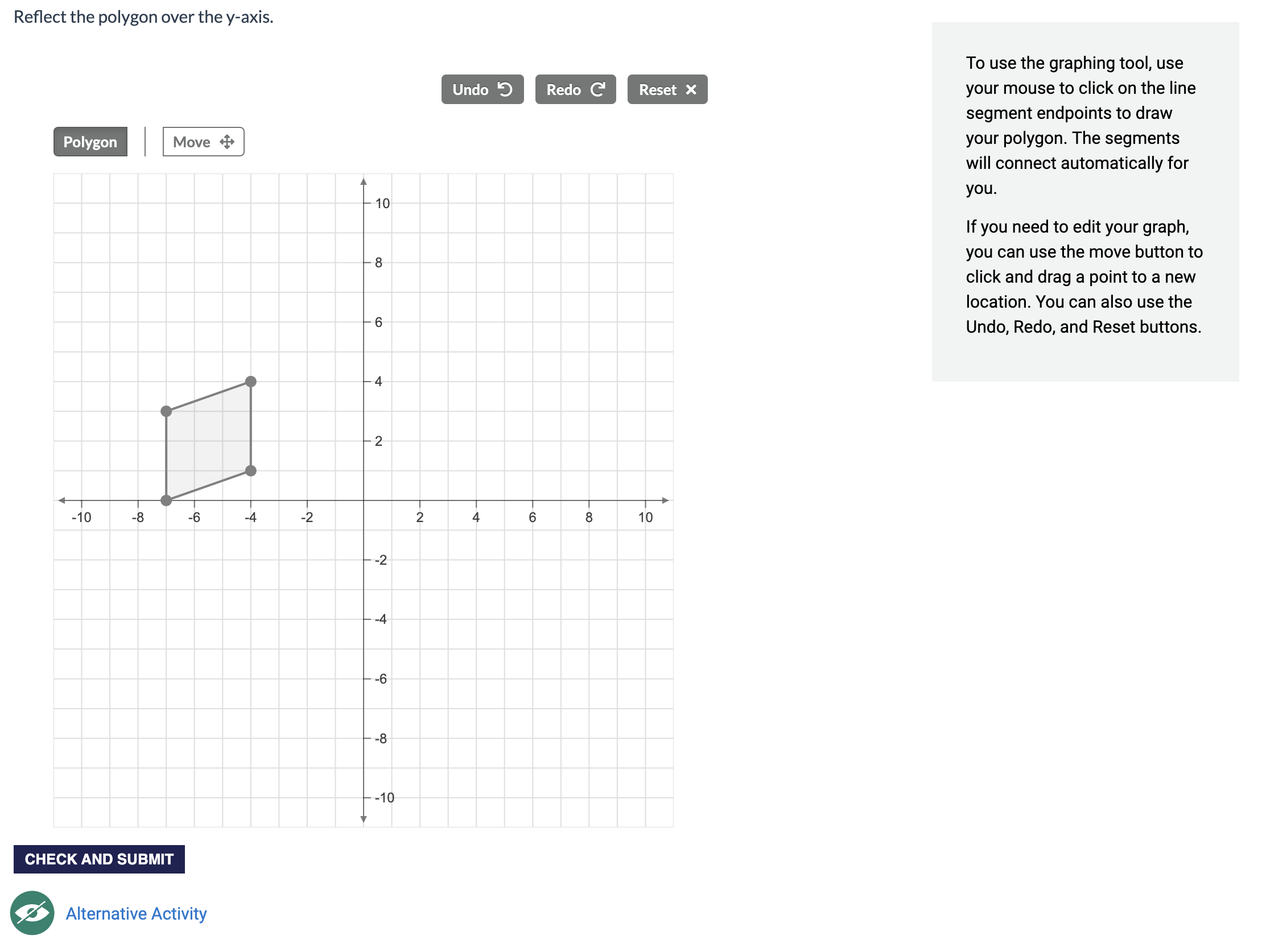
Example of a graphing activity in a two-column layout
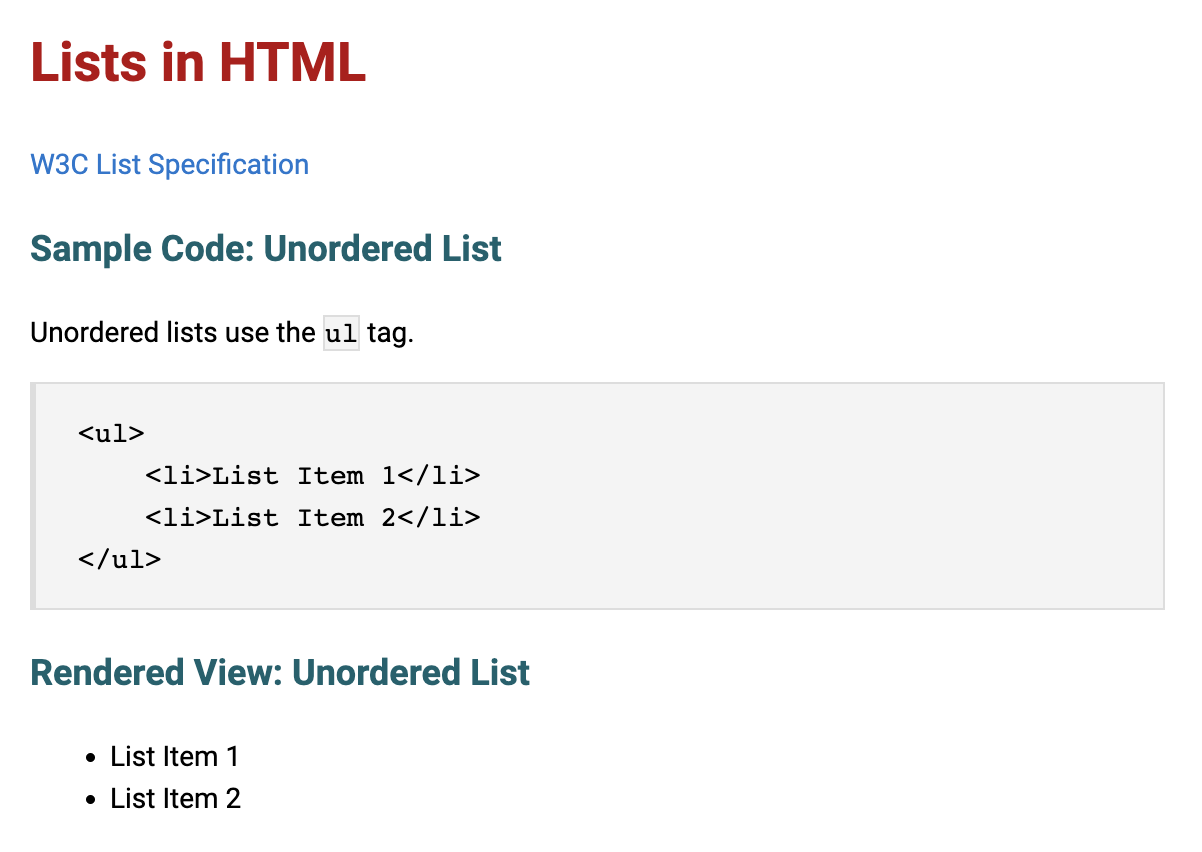
Example of a Markdown block on a content page used to teach coding
SHARE CONTENT
Partner with other organizations to share your content or obtain copies of theirs through the custom sharing tool that allows consortiums to achieve more together by quickly accessing and sharing quality online content. This powerful feature reduces the development burden on designers and groups, and allows them access to resources outside their immediate organization.
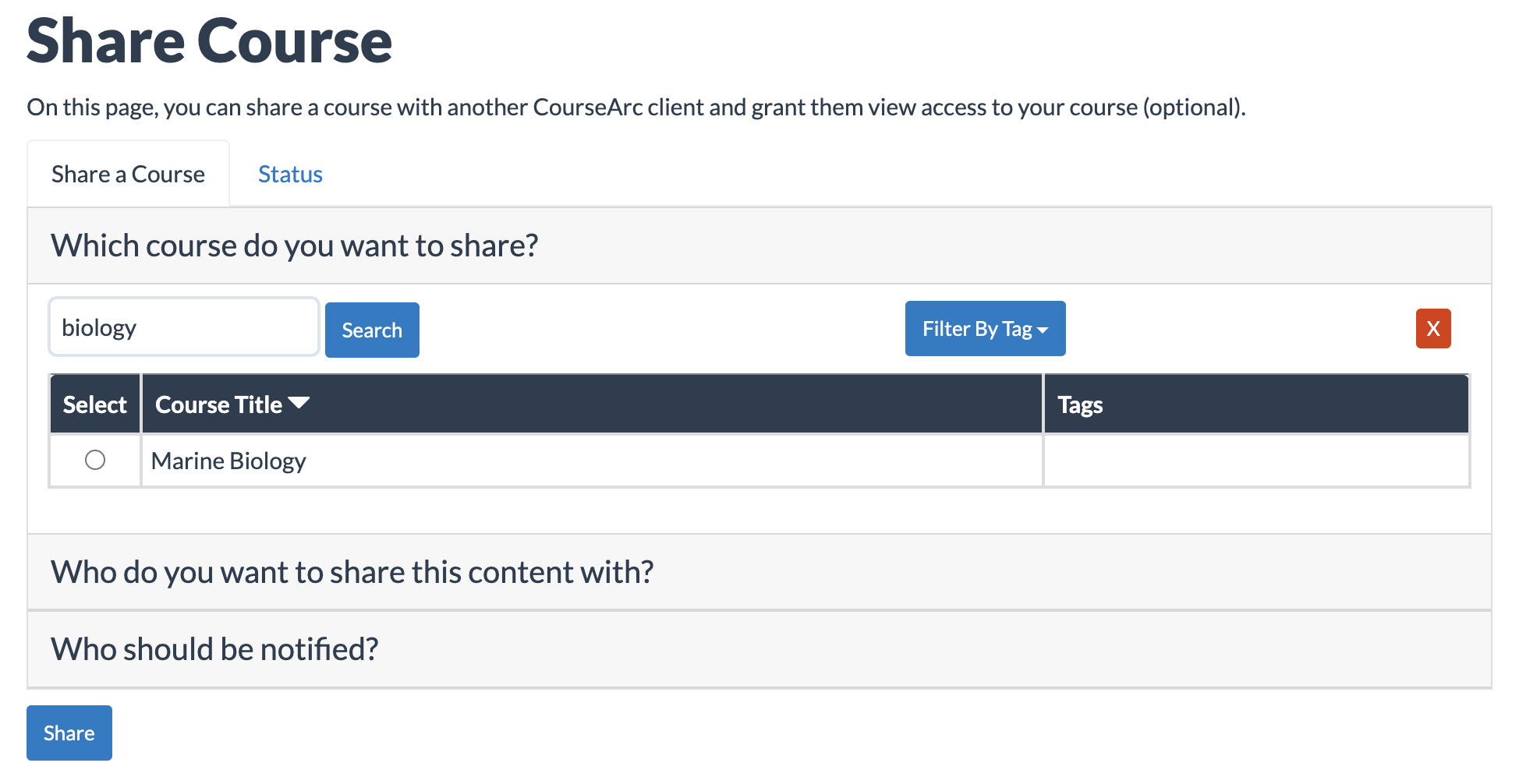
Step 1 of the Share Course view
Integration
API
Optimize the learning experience and outcomes using CourseArc API to analyze data such as page views, participation, graded activities and more as you filter and sort across learners and courses to make informed decisions.
AUTO-PROVISIONING
Save administrative time by automatically creating accounts, utilizing Learning Management System (LMS) settings to set instructor access permissions, assigning CourseArc roles and creating linked courses using the parameters already established within your LMS.
CUSTOM 3RD-PARTY INTEGRATIONS
Expand your design capabilities and learner engagement using CourseArc’s integrations with third-party tools such as ReadSpeaker, SpeechStream, Vimeo and YouTube.
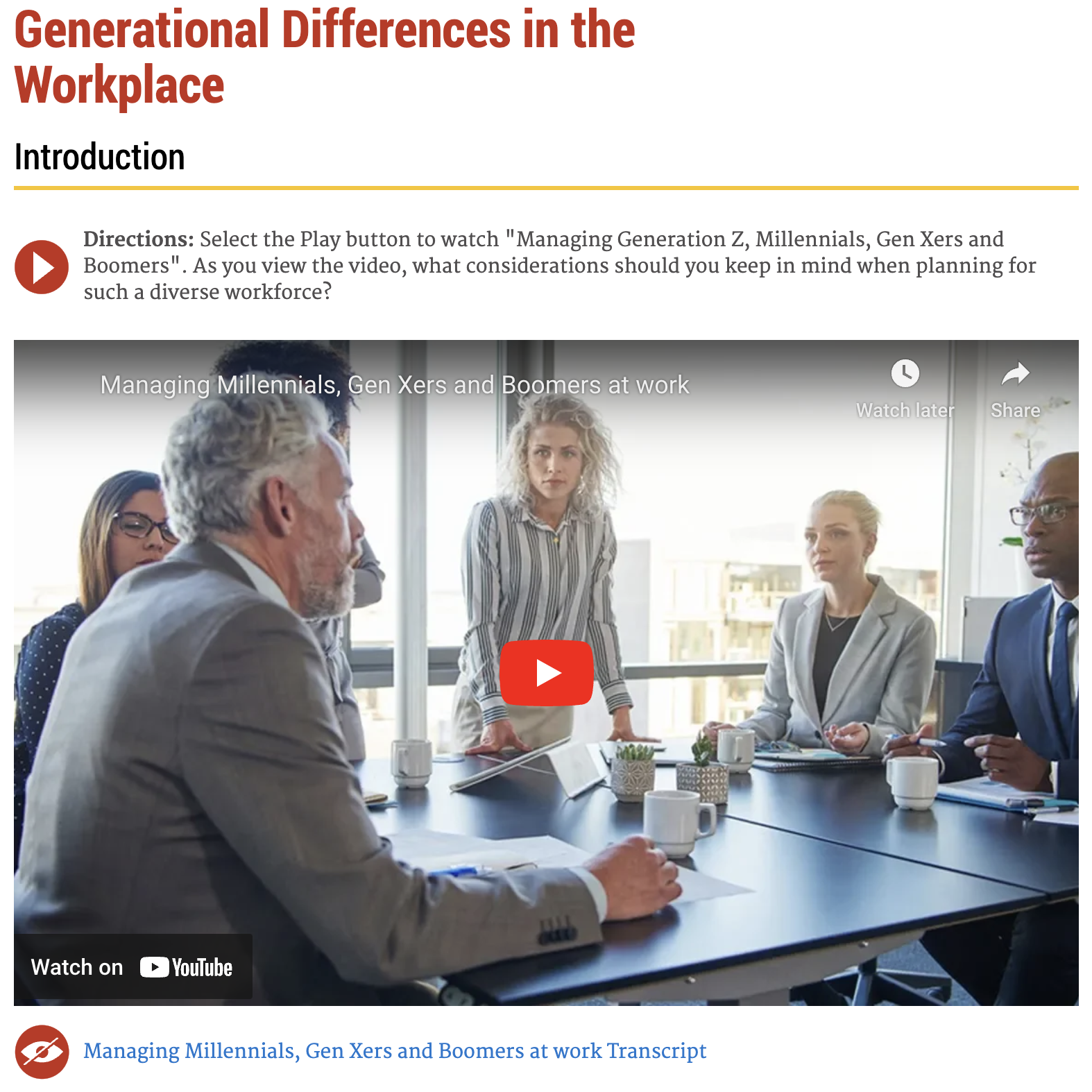
Embedded video automatically added to the page via the YouTube link
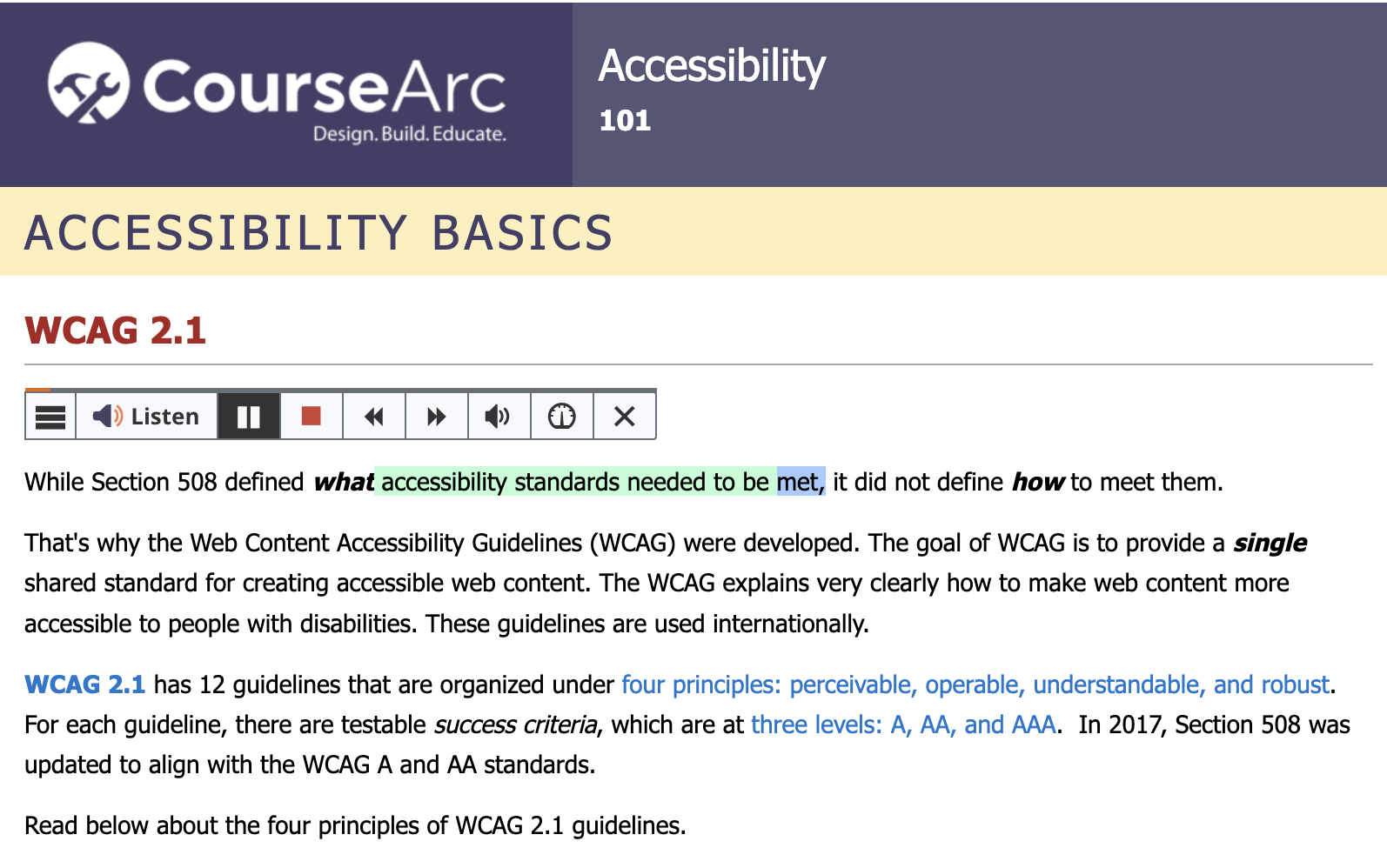
ReadSpeaker Tool Integration
DEEP LINKING
The Deep Linking extension allows a user to easily integrate content from CourseArc. Users can launch CourseArc, select specific content, and return the specific content to the platform in one singular workflow without leaving the Learning Management System (LMS), needing secondary logins or packages to import.
Example of Deep Linking from inside the LMS
GOOGLE CLASSROOM
Share content you create in CourseArc directly in Google Classroom to sequence content for your students and engage them in new ways, taking advantage of CourseArc’s easy creation tools for a variety of accessible activities. Track student progress and view their scores in your Grades area with this seamless experience for both teachers and students. Learn more by viewing our Google Classroom introductory webinar.
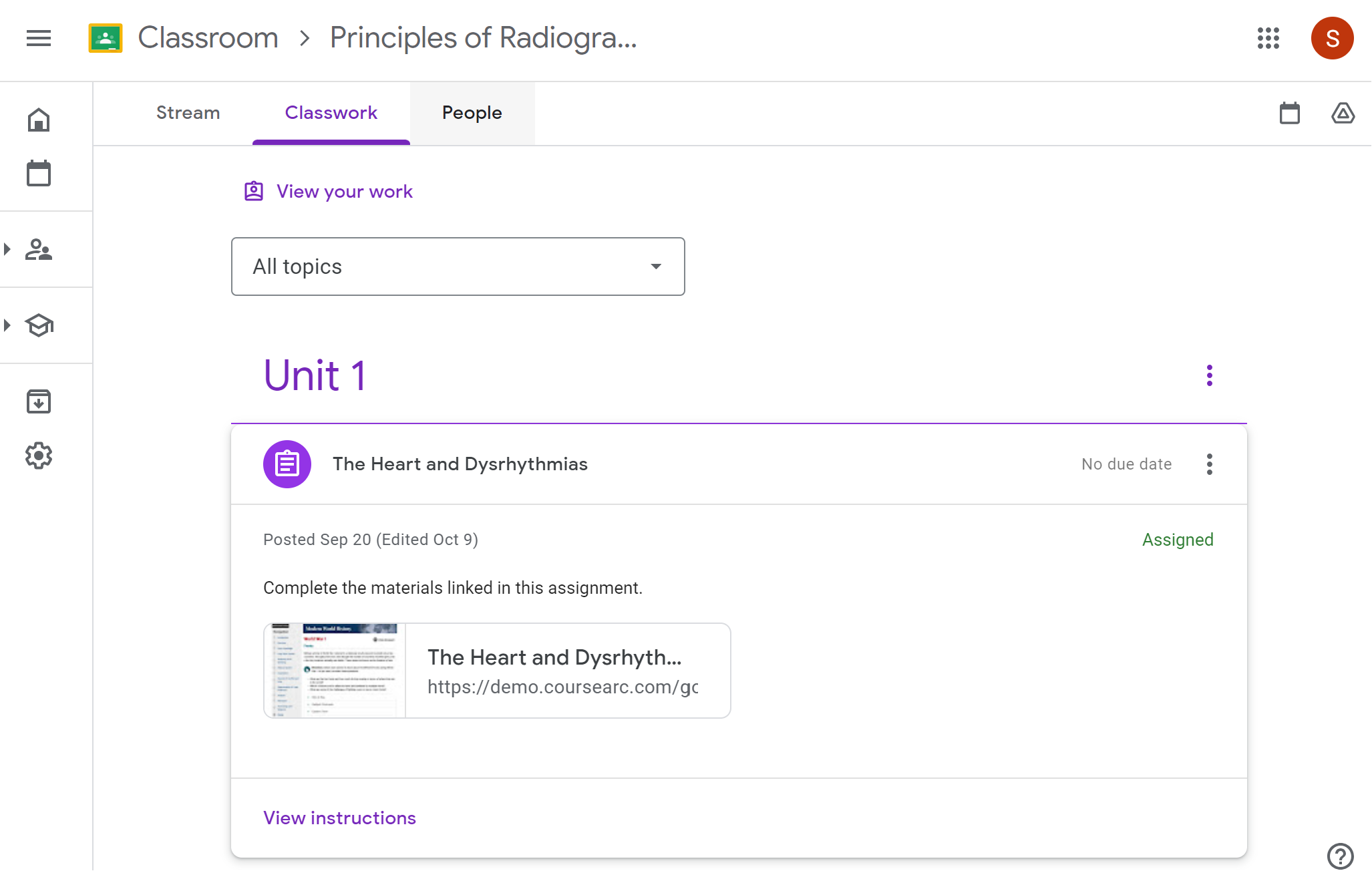
Student view of Google Classroom assignment that was created in CourseArc
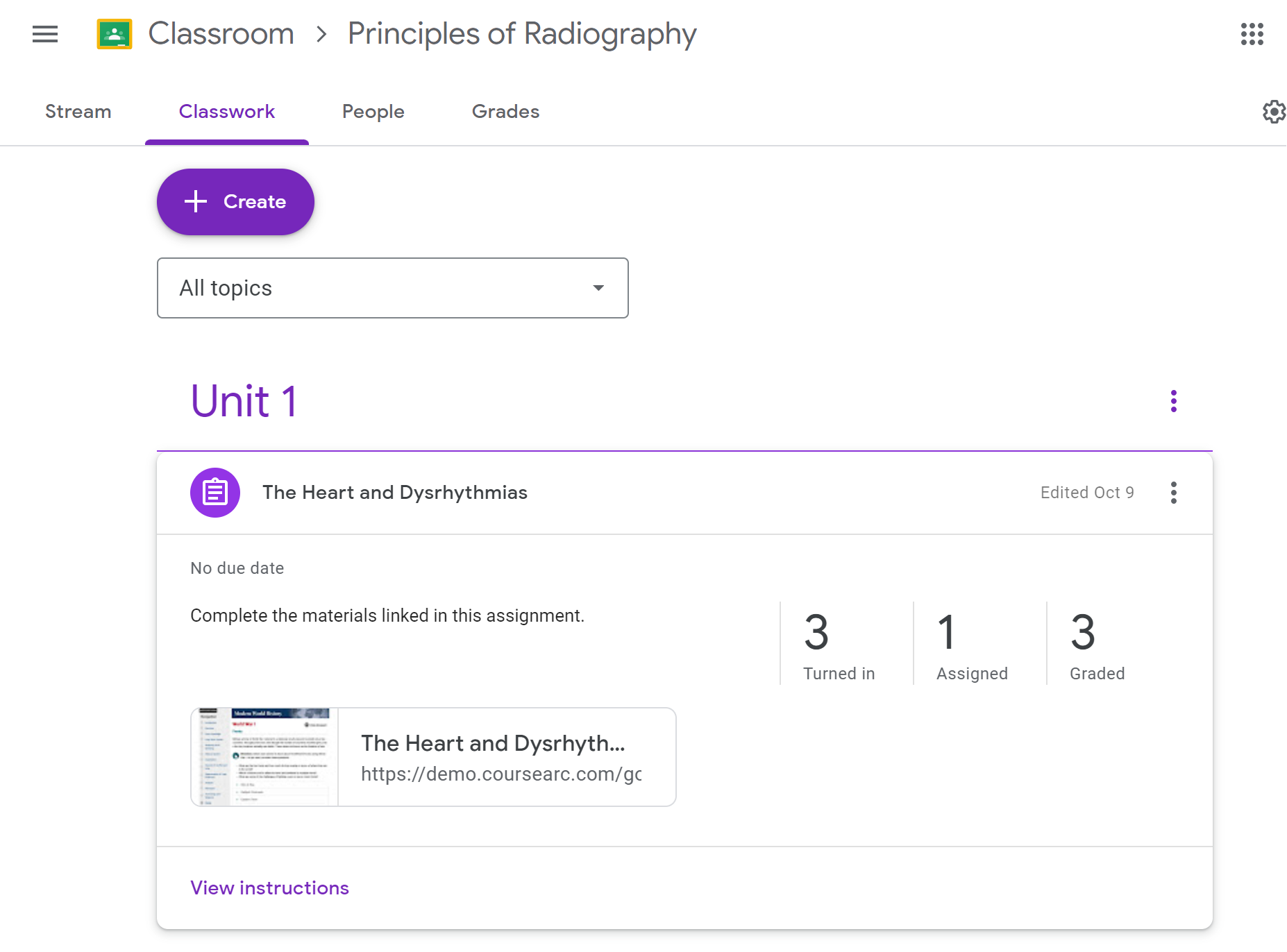
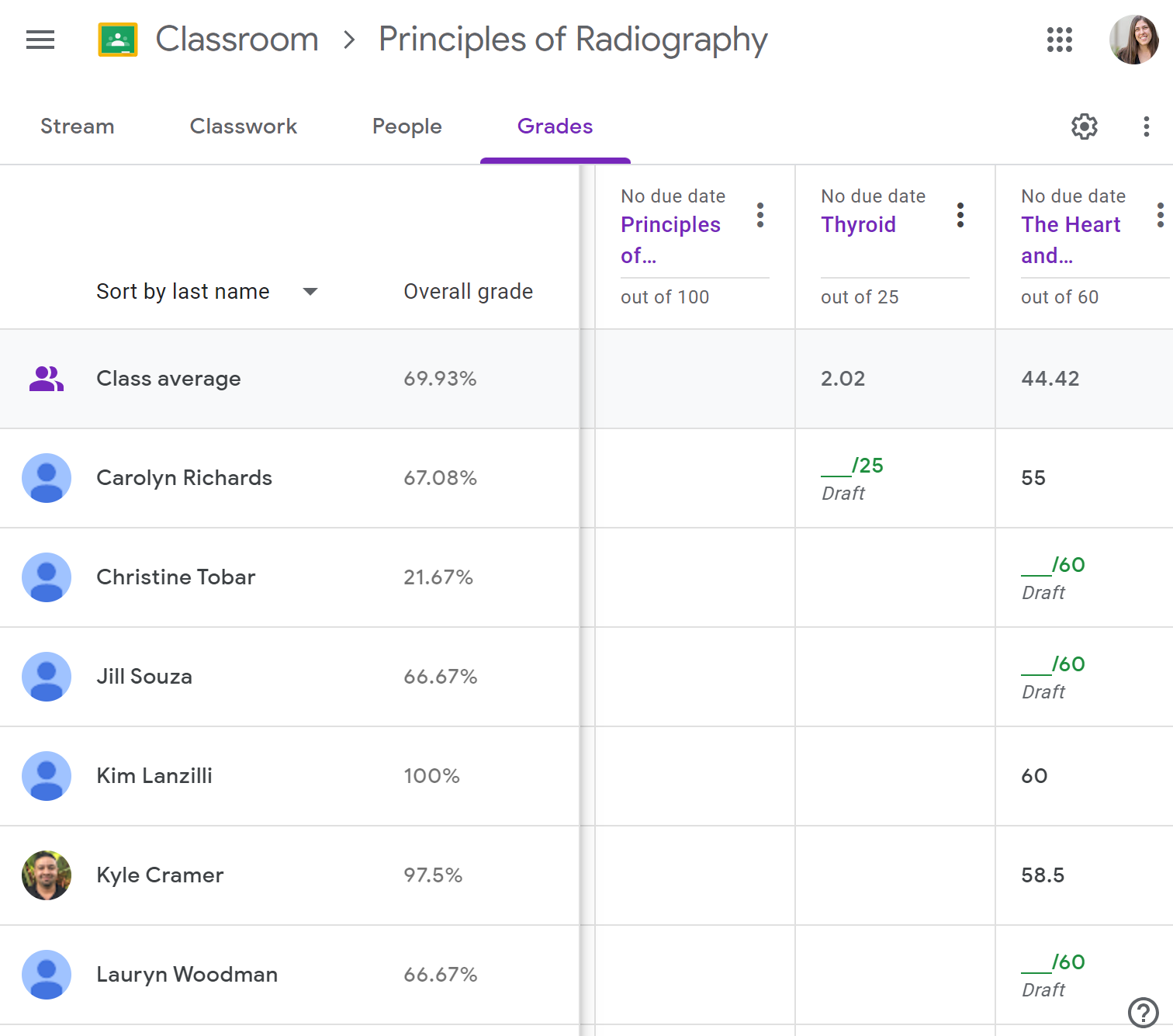
Teacher view of Google Classroom assignment that was created in CourseArc
LTI
Stay connected using integrations with your Learning Management System (LMS) and other tools via Learning Tools Interoperability (LTI). LTI is a live connection that supports dynamic content updates, so you can update all of the places your content is viewed by publishing your changes from one place. With LTI, you can also share content with partners/clients and turn access on/off as needed. CourseArc supports LTI 1.1 and is certified for LTI Advantage/1.3.
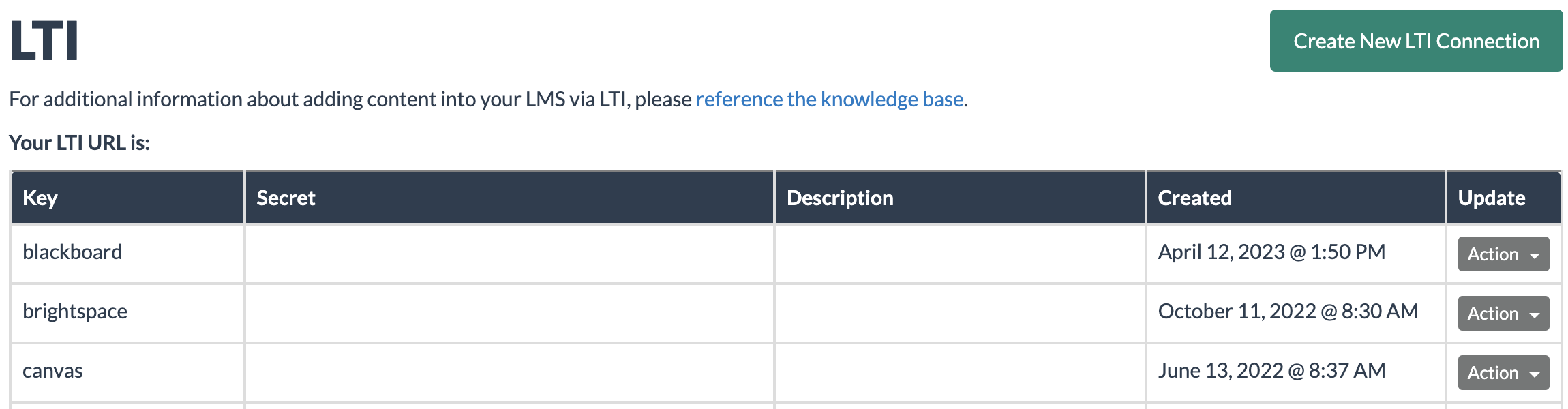
LTI 1.1 Integration
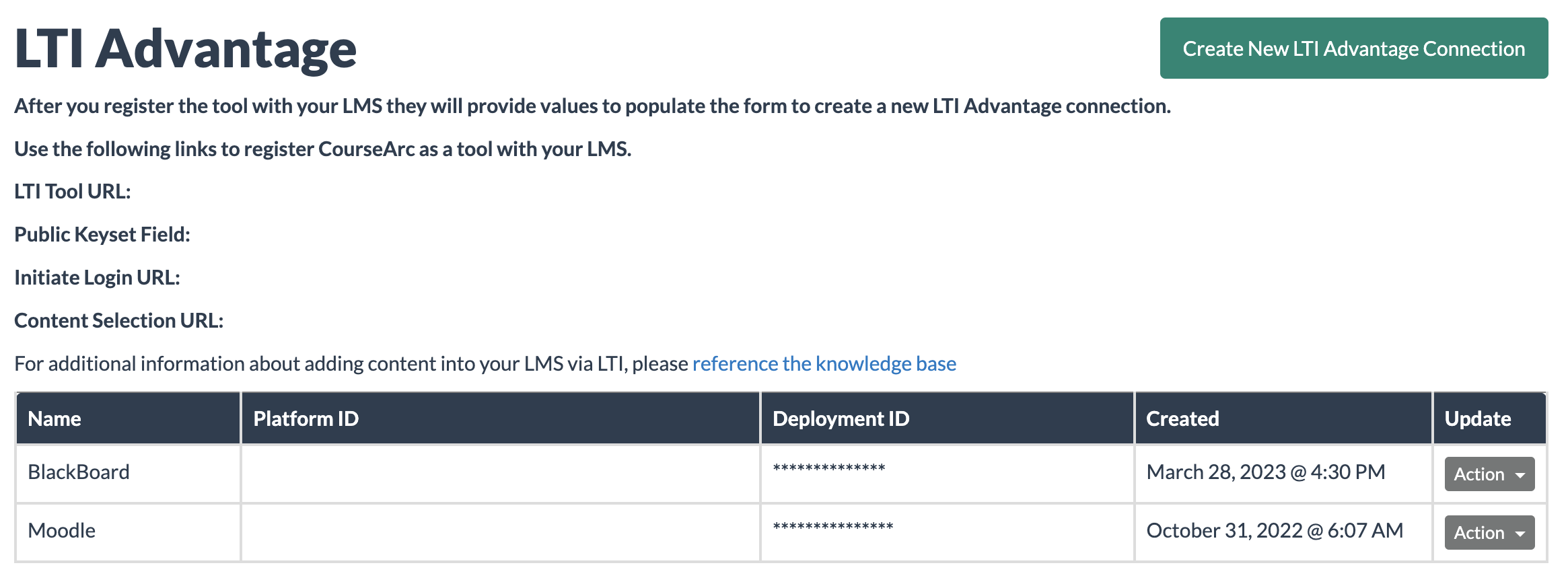
LTI Advantage Integration
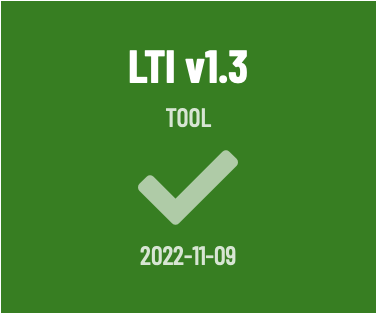
LTI Advantage Certification (1EdTech)
SCORM
Download static content packages using the Shareable Content Object Reference Model (SCORM) standard and extract performance and completion information.
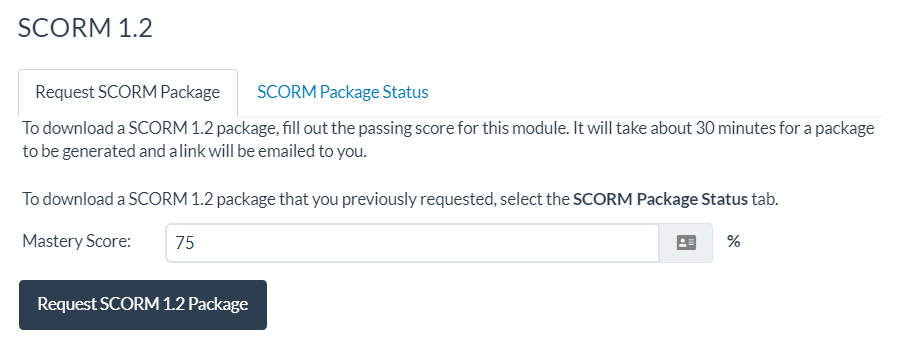
Content creator view of the SCORM 1.2 package export process
Program Management
COLLABORATION TOOLS
Unify your team and process with elevated project management and team collaboration tools in CourseArc. Establish your design process including roles, permissions and logic that keep your team and content delivering on expectations. From conception to completion, your team will appreciate the convenience of commenting, tasks, review and approval workflows for effective content creation.
Example of comments on a page being sent through CourseArc platform notifications
Example of a task being completed and a new task being assigned on a page of content
CUSTOM USAGE REPORTS
Maximize your content development investment by tracking your organization’s adoption and usage of CourseArc via activity reports that show useful stats like most-used features, interactions completed in CourseArc and content development trends.
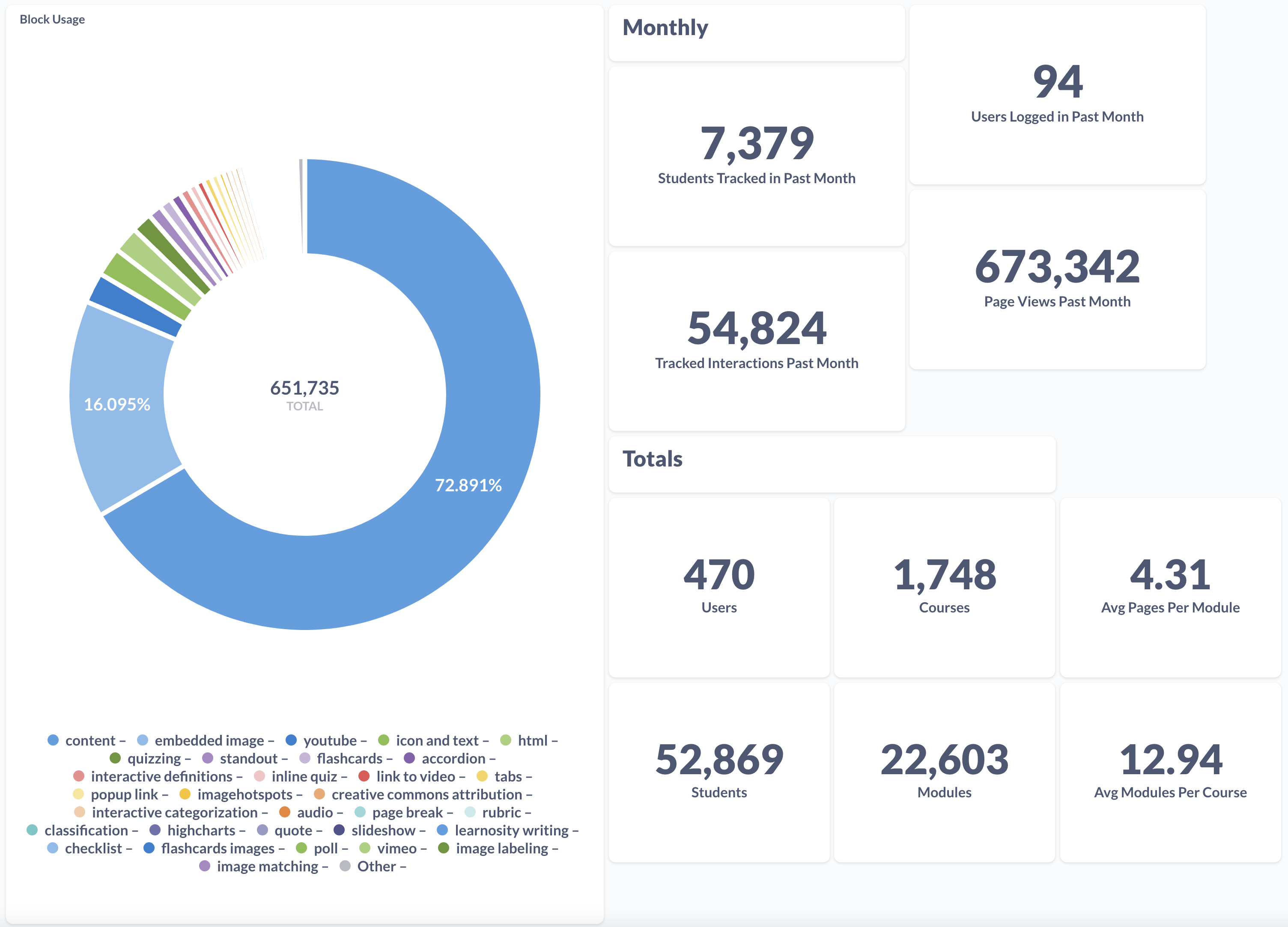
Example of custom usage report
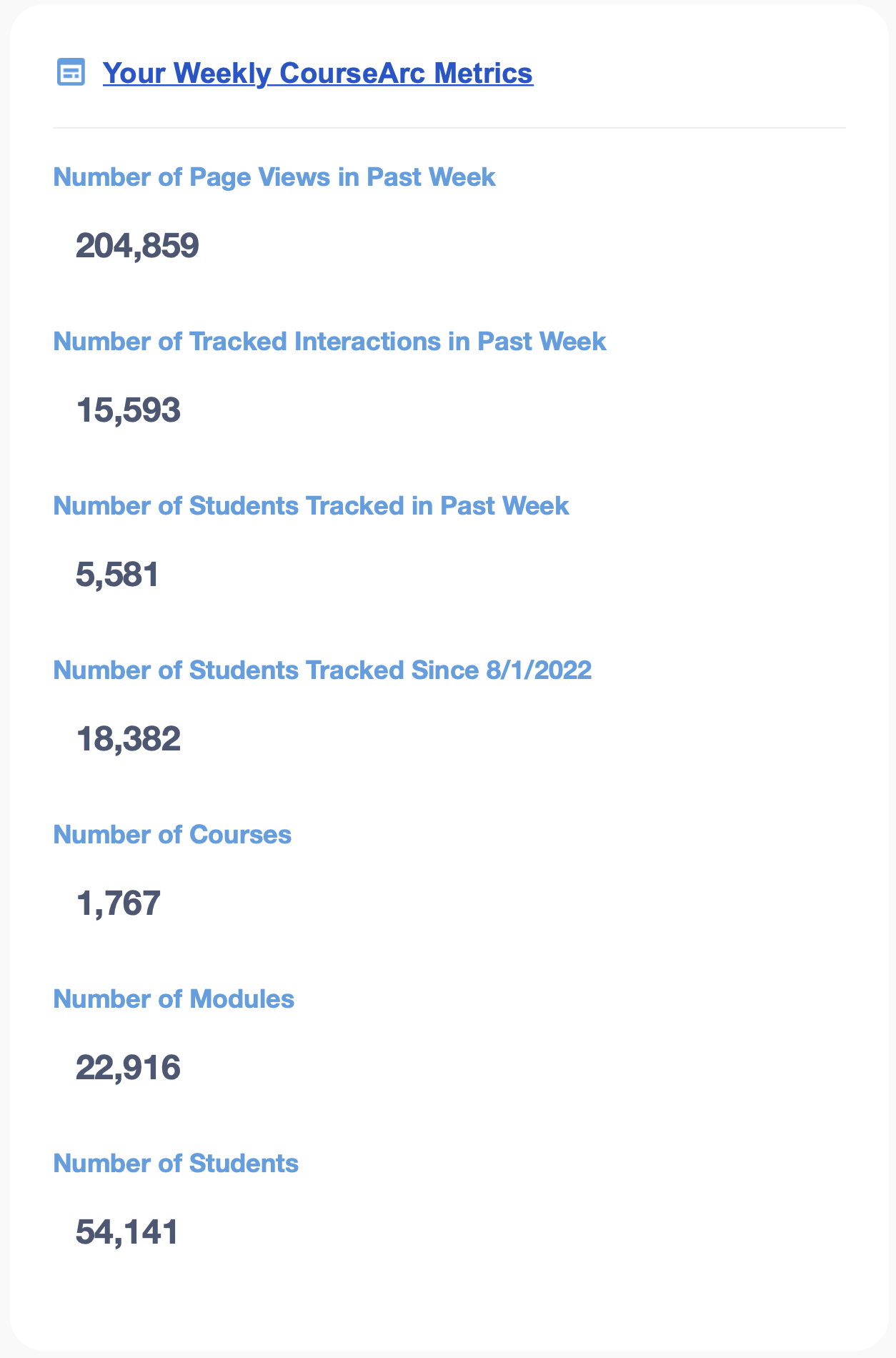
Example of weekly usage report
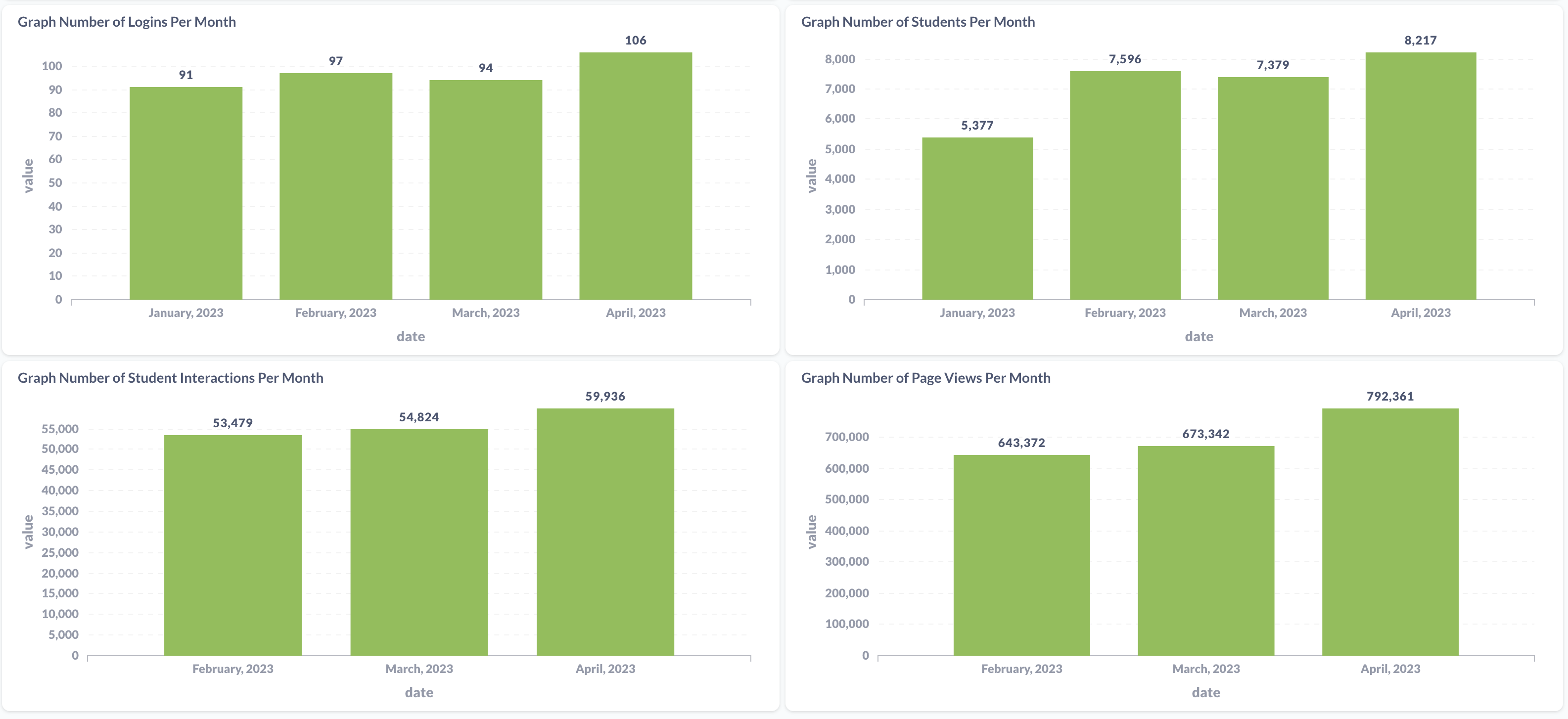
Example of usage over time report
PROJECT MANAGEMENT
Define and implement an effective and efficient design process using our tools to boost productivity, organization, communication, feedback and task management. Adapt and achieve new objectives over time using the built-in workflow features to improve your process based on feedback, experience and organizational goals.
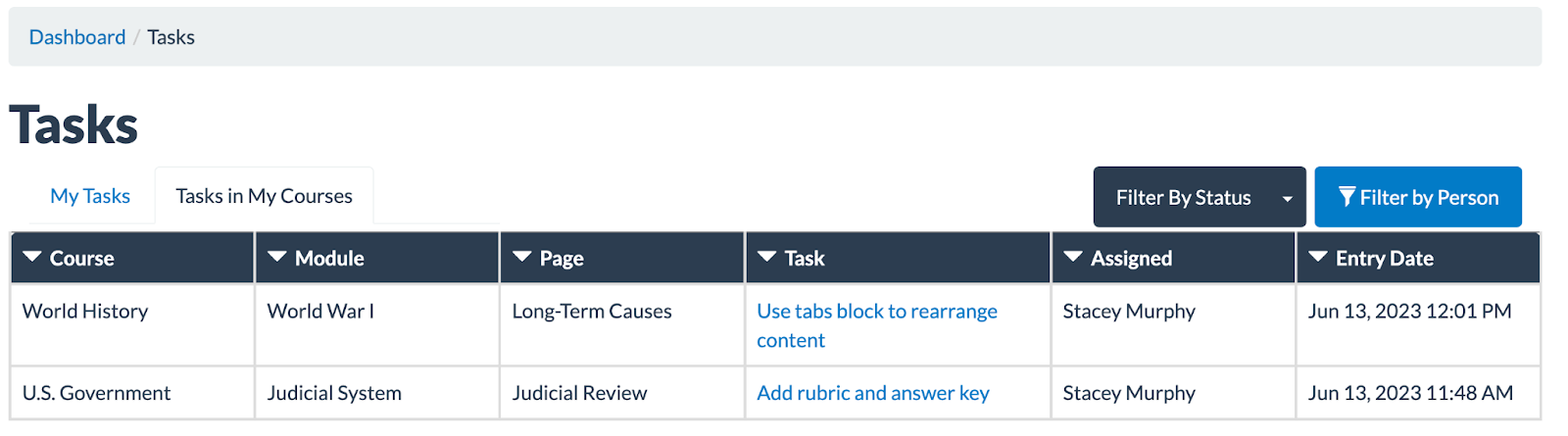
Course Leader view of all outstanding tasks in their courses
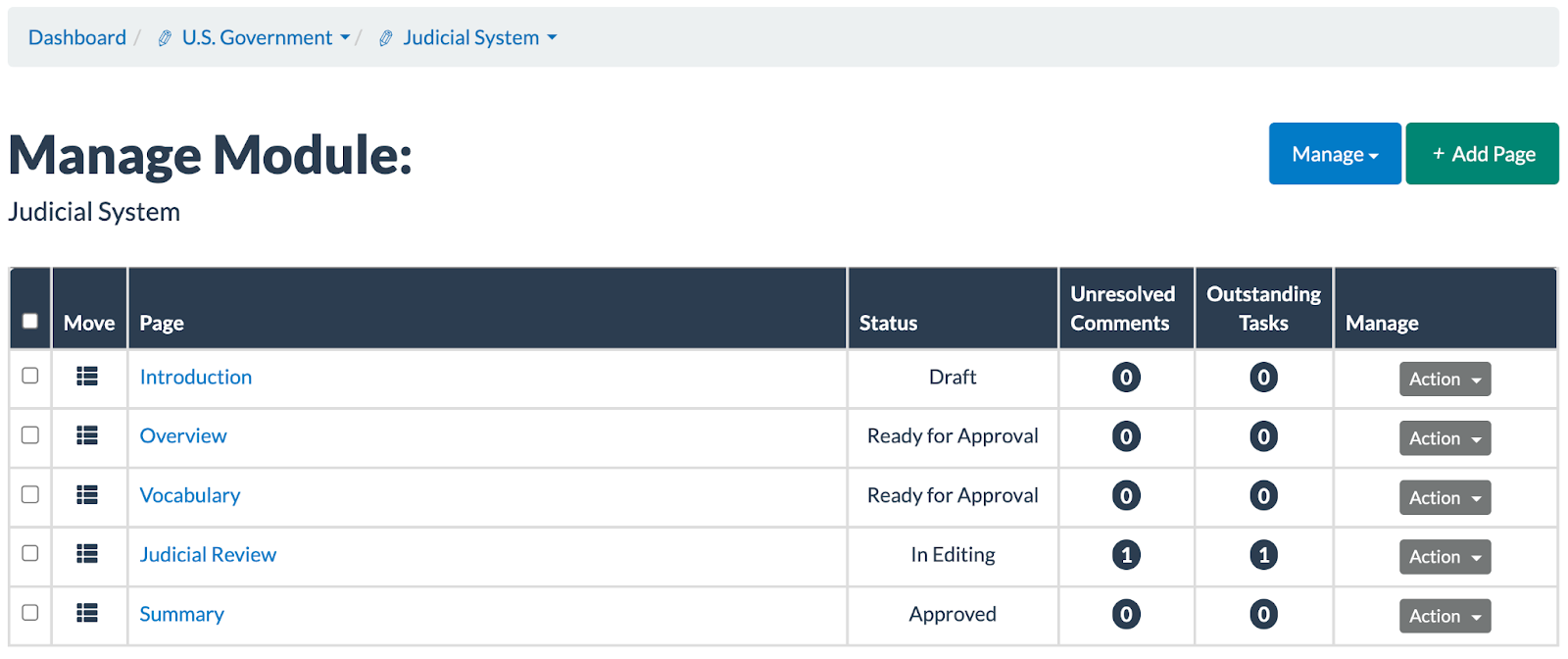
Course Leader’s Manage Module view displaying Page Status, Unresolved Comments and Outstanding Tasks
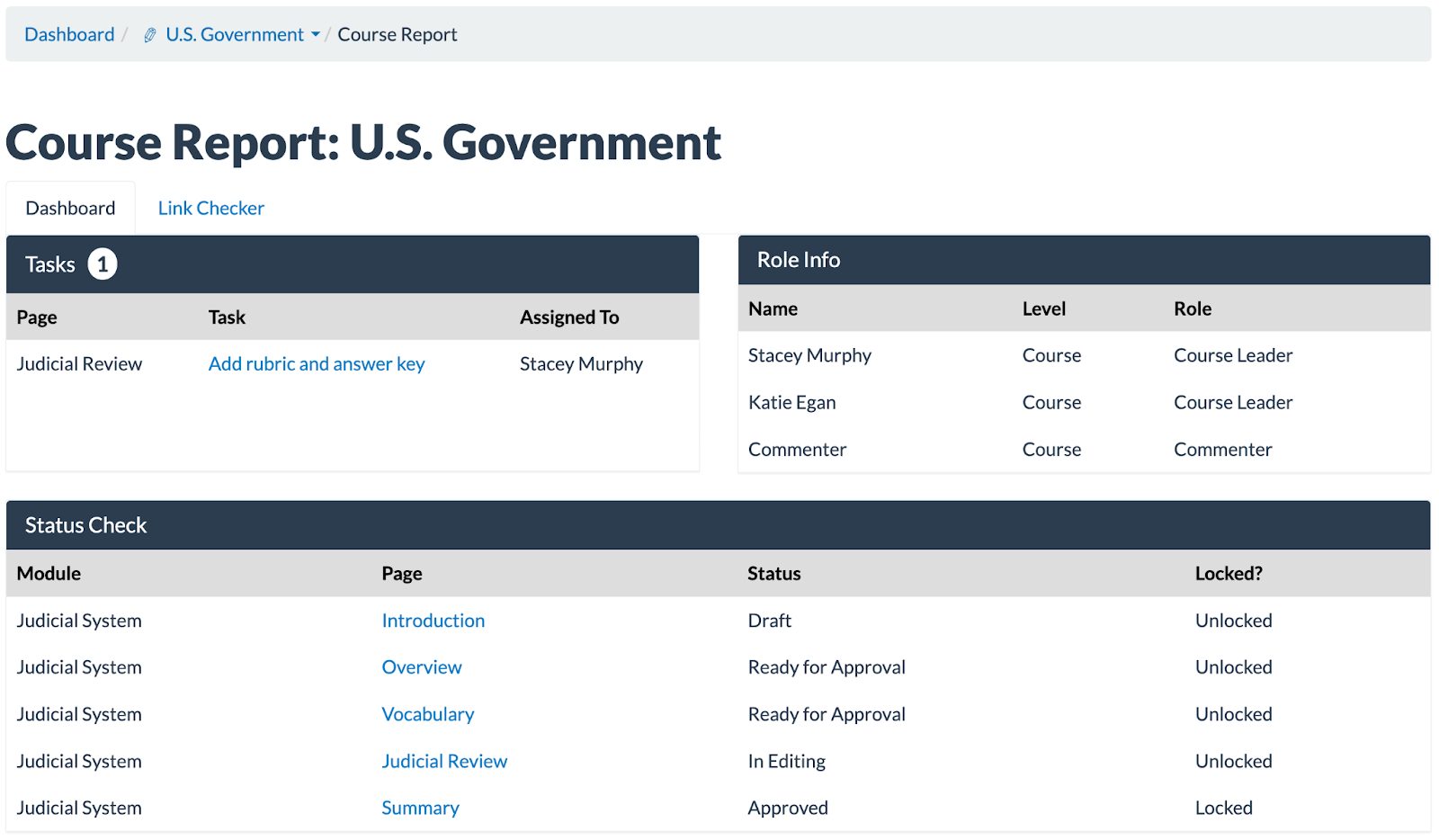
Course Report indicating outstanding tasks, page status and users with access and their roles in one consolidated view
STANDARD COURSE TEMPLATES
Quickly launch organized course cohorts using the Standard Course Template designation and avoid error and duplication for instructors, programs and courses. Create new courses with an automated process that copies an exemplar template containing your course structure to support content creators by ensuring consistency and saving time.
Example of a standard course template
ROLE-BASED PERMISSIONS
Find team harmony with clearly defined roles and permissions, customizable to your exact parameters. CourseArc’s various roles support internal, external and third-party content creators and determine who can use tools such as templates, boilerplates, commenting, sharing and review. Learn more about user roles in CourseArc
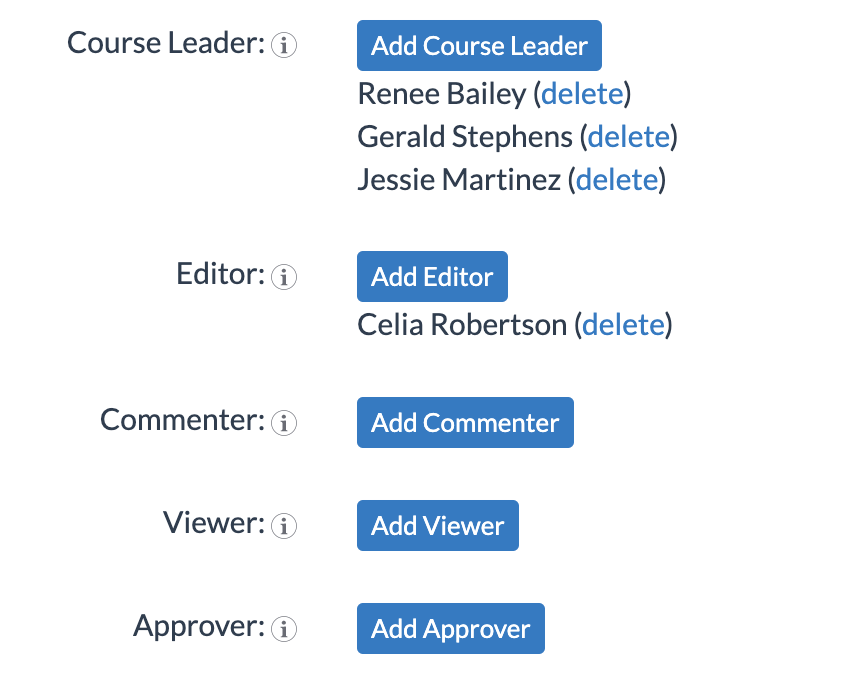
Course Roles
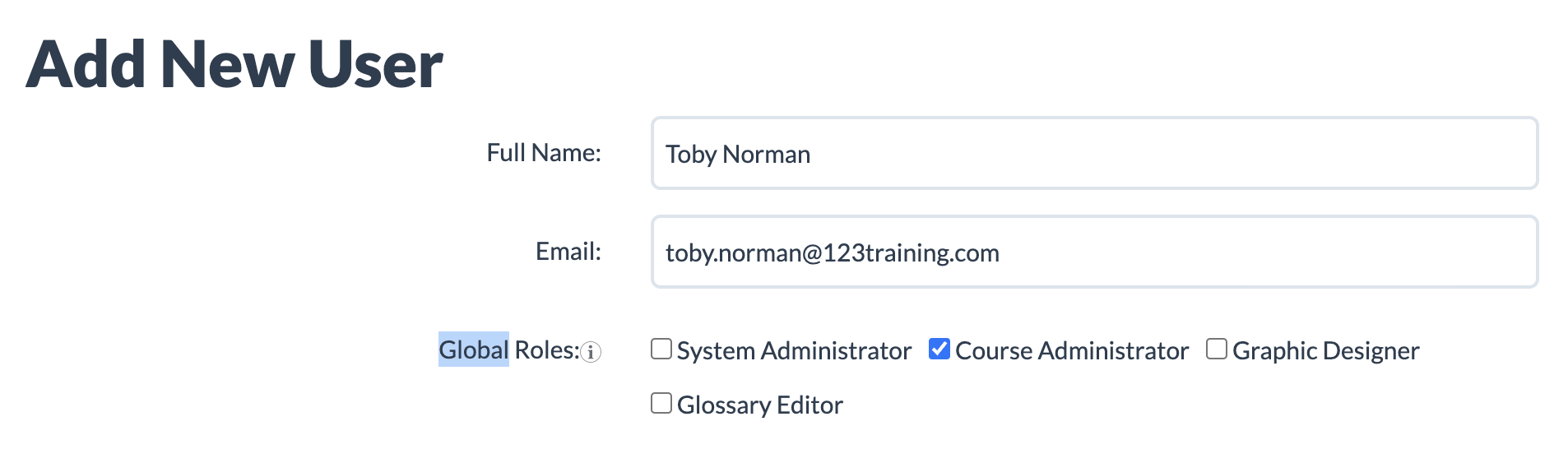
Global Roles
VERSION CONTROL
Manage materials using version control to monitor, track and, if needed, revert changes made to content.
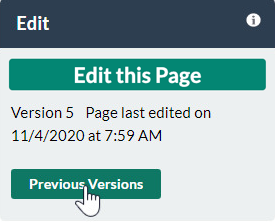
Previous Versions button
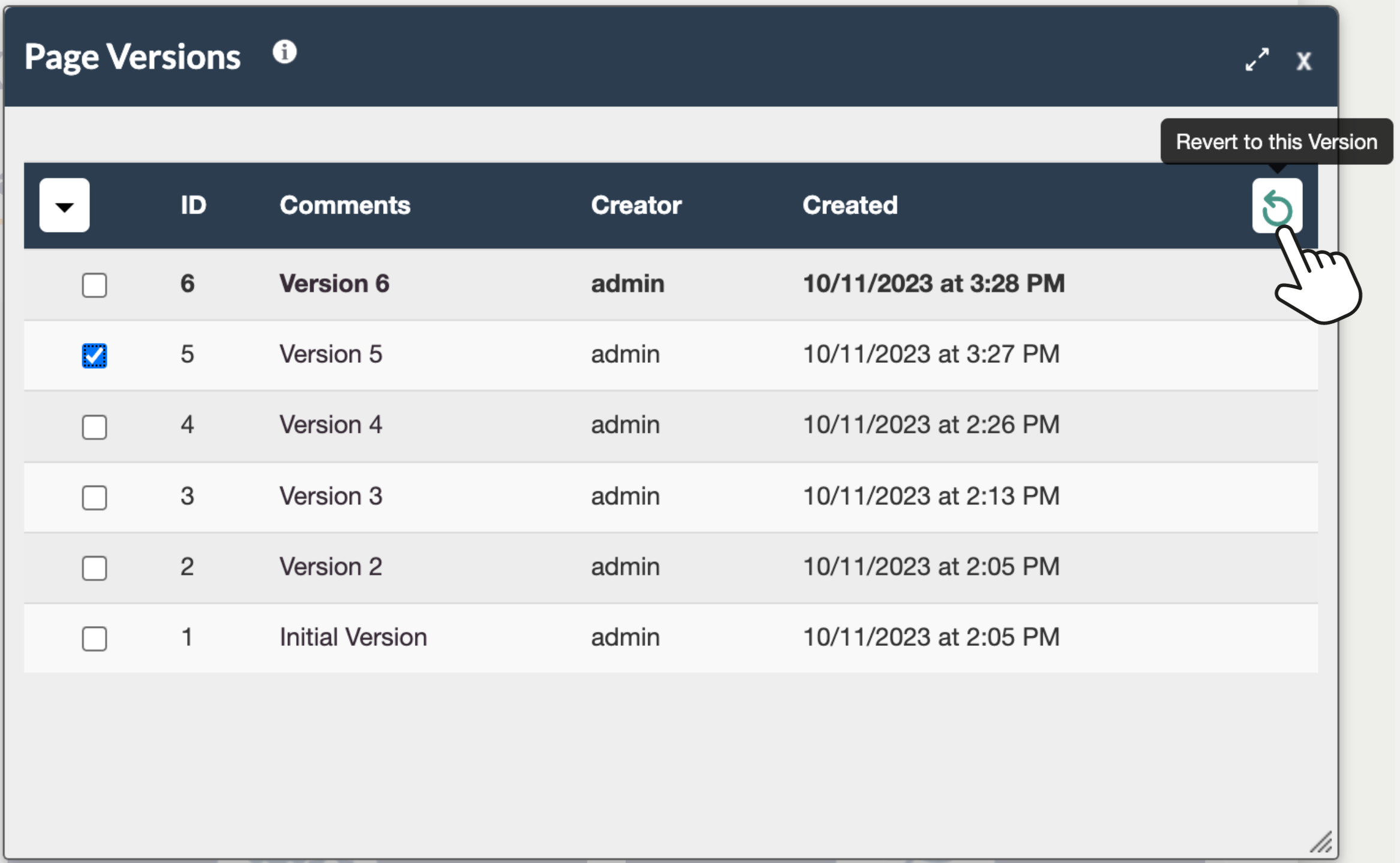
List of page versions with details on each and options to view previous versions and revert if needed
Reporting
ANALYTICS
Review learner progress and performance at the course, module, page and activity level to guide learners to deep comprehension and outcome achievement.
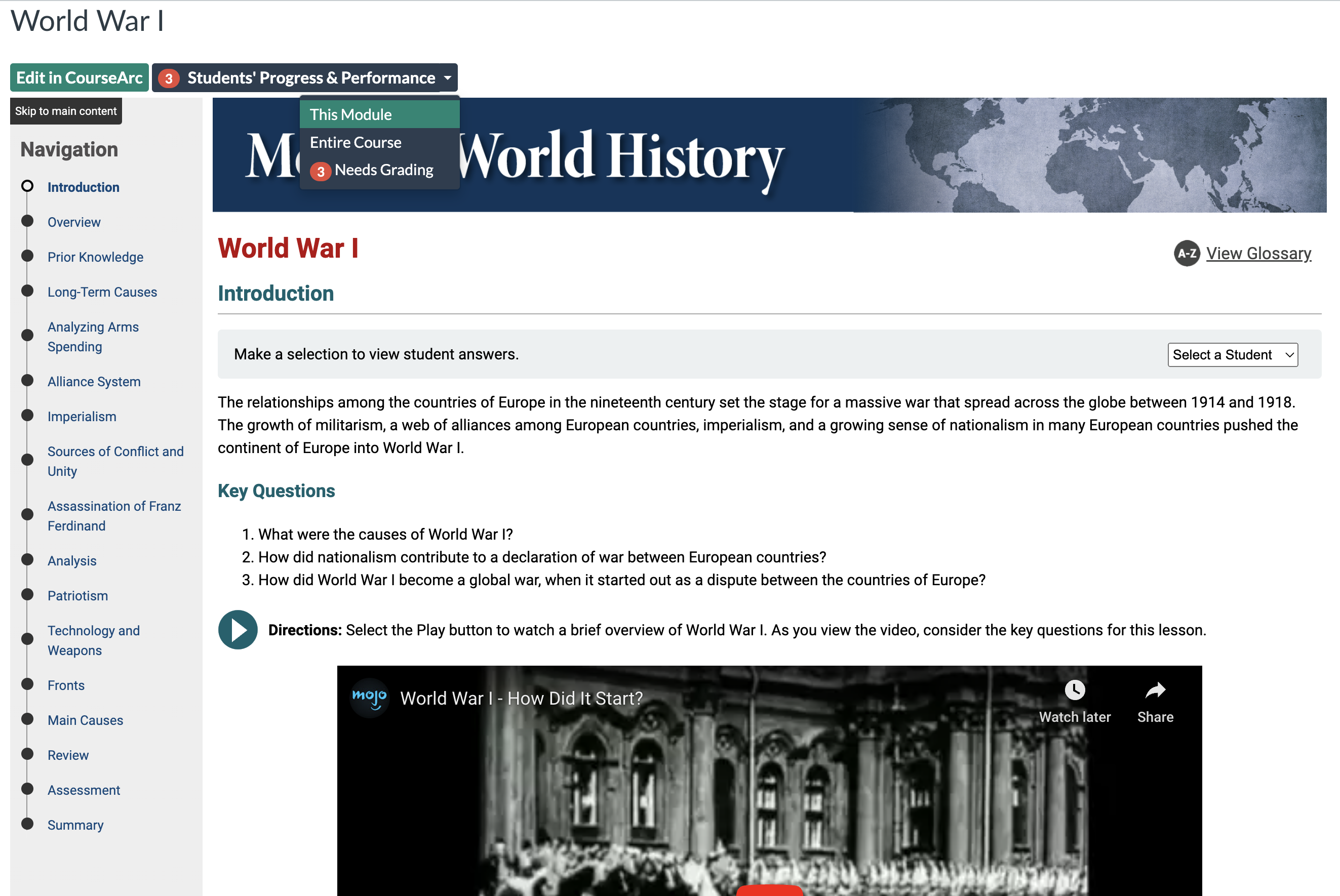
Students’ Progress & Performance data and grading options
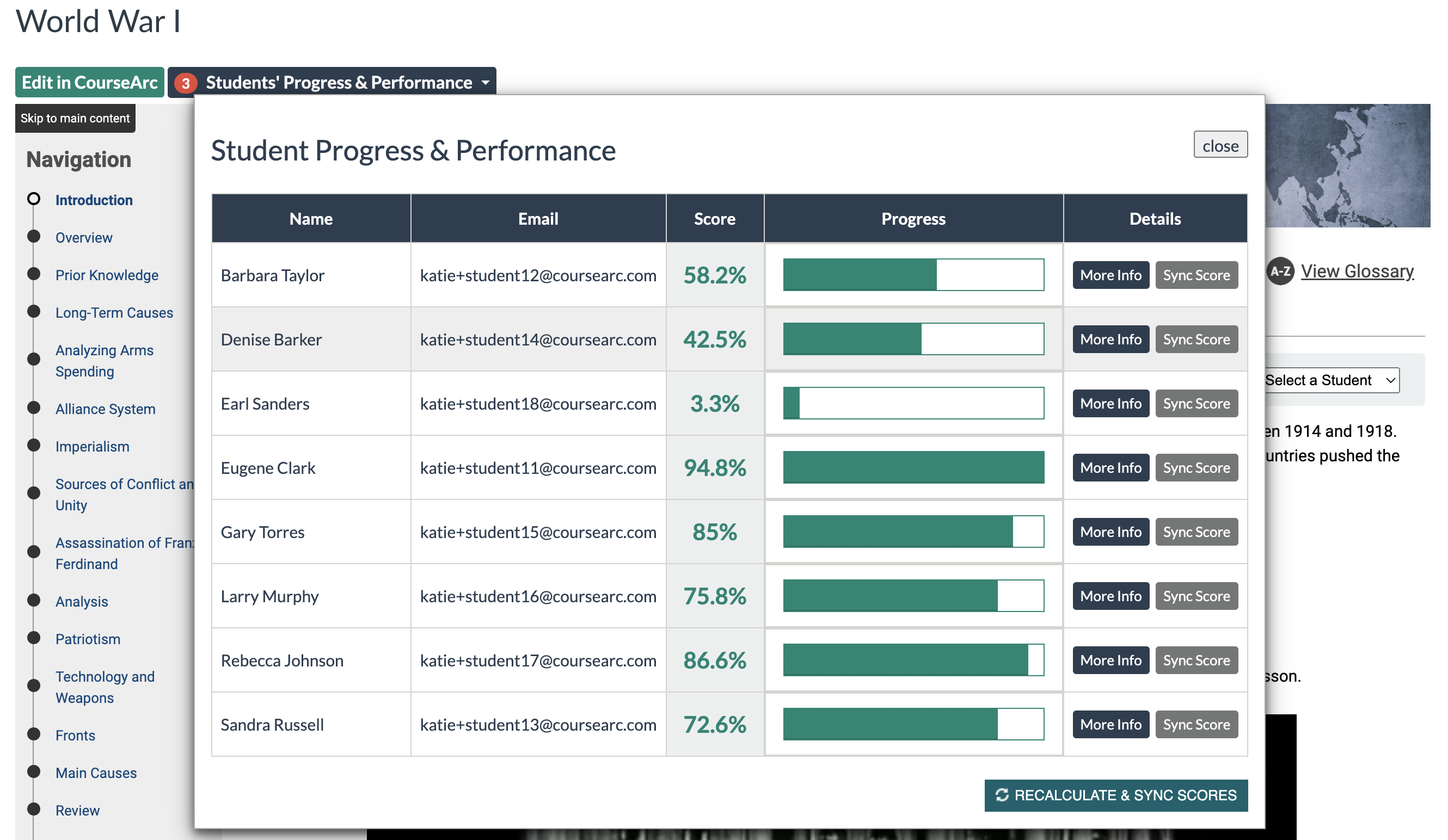
Module-level student scores and progress with options to drill down further
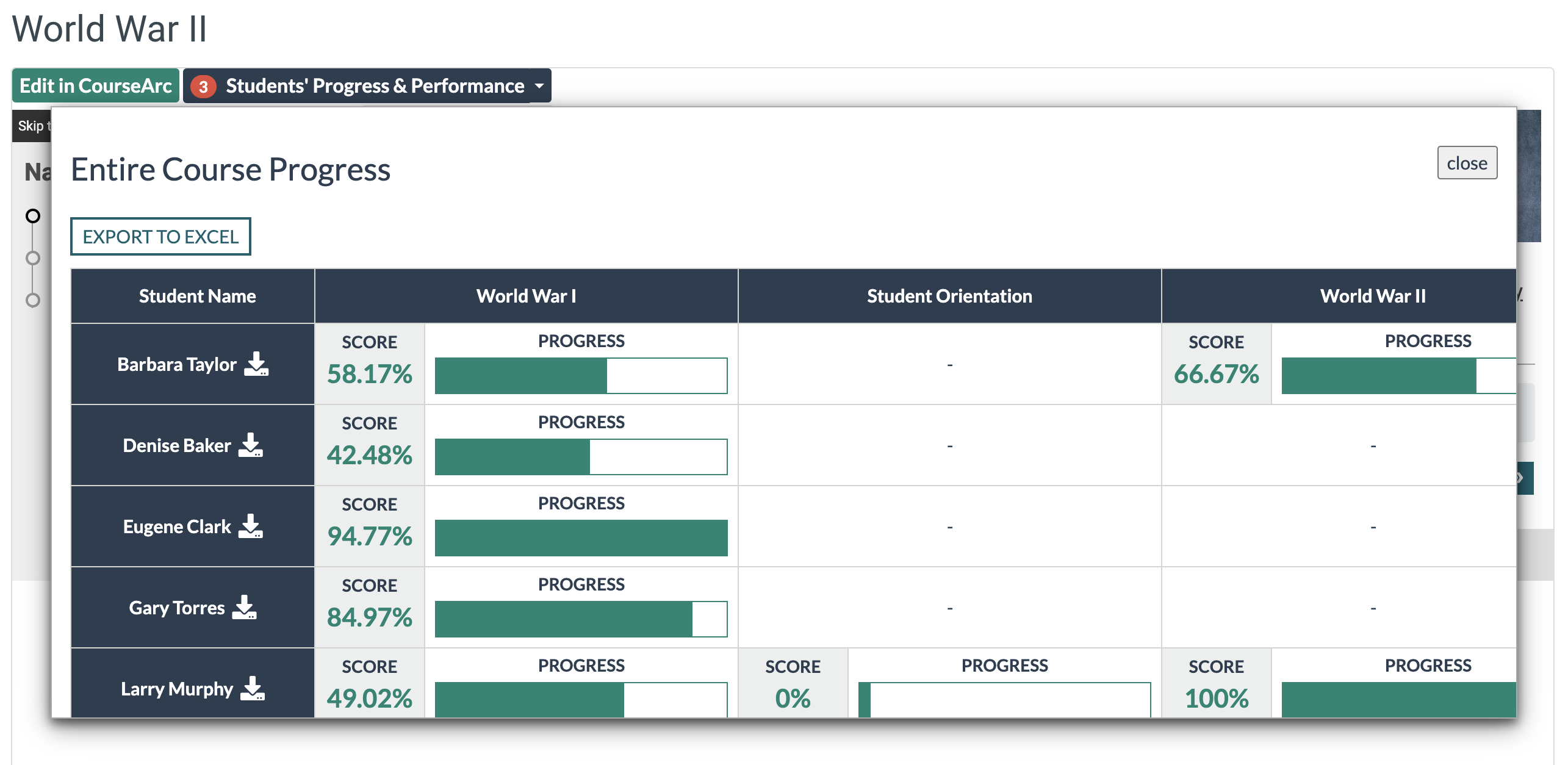
Course-level student scores and progress with option to export full course activity
PROGRESS & PERFORMANCE TRACKING
Arm learners with meaningful progress and performance data throughout every course so they can proceed on their own terms using instant feedback from personalized, engaging and accessible assessments and activities.
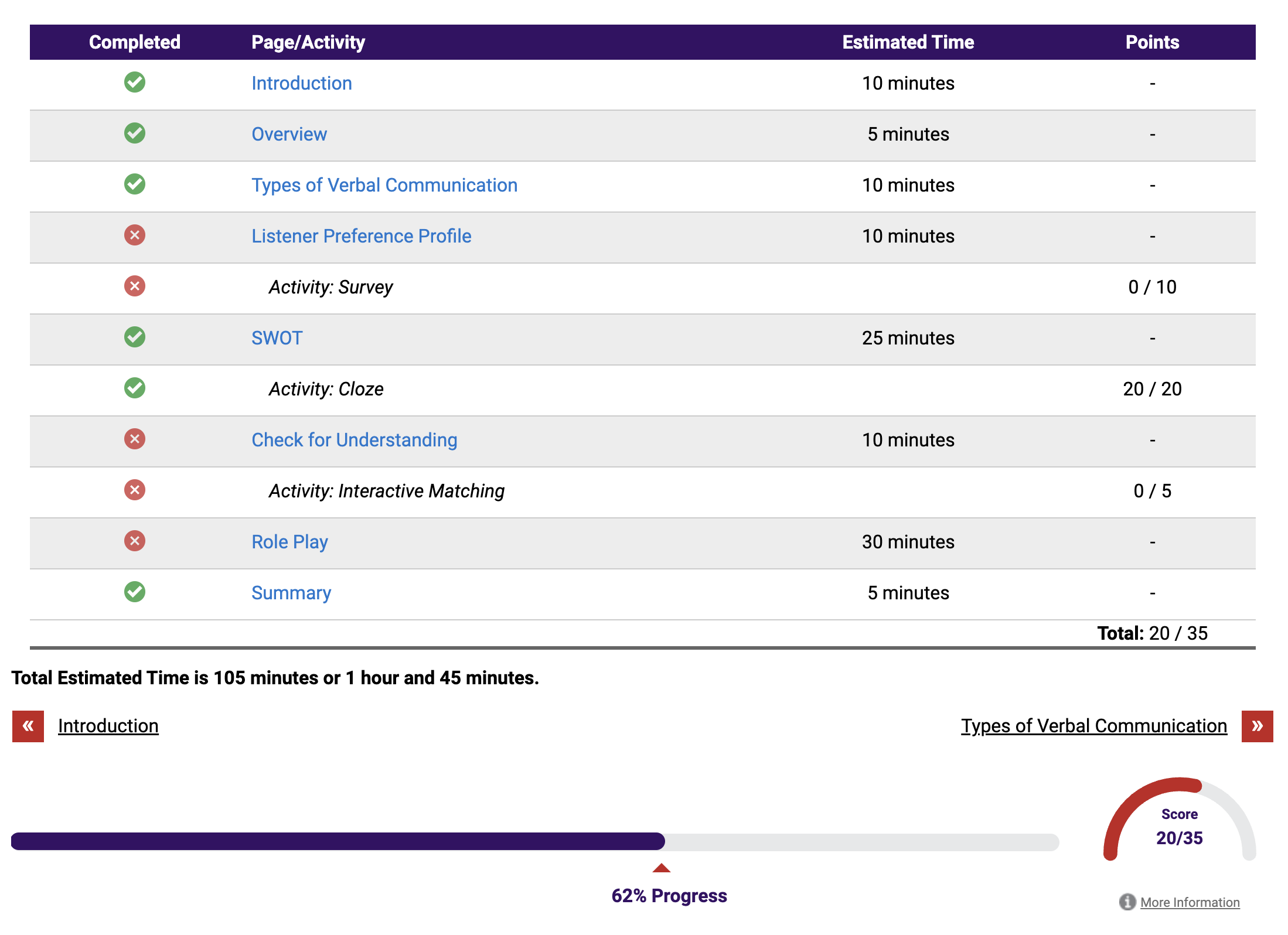
Example of a learner’s view of their progress and performance when the cumulative grading option is selected by the content creator
QUIZ QUESTION LEVL ANALYTICS
Understand trends and nuances of learner comprehension using the analytics tools to view reports for auto-graded question types in quizzes. Available to content creators and instructors, the anonymized data can help identify areas of weakness for content creation and instruction in order to improve learner outcomes.
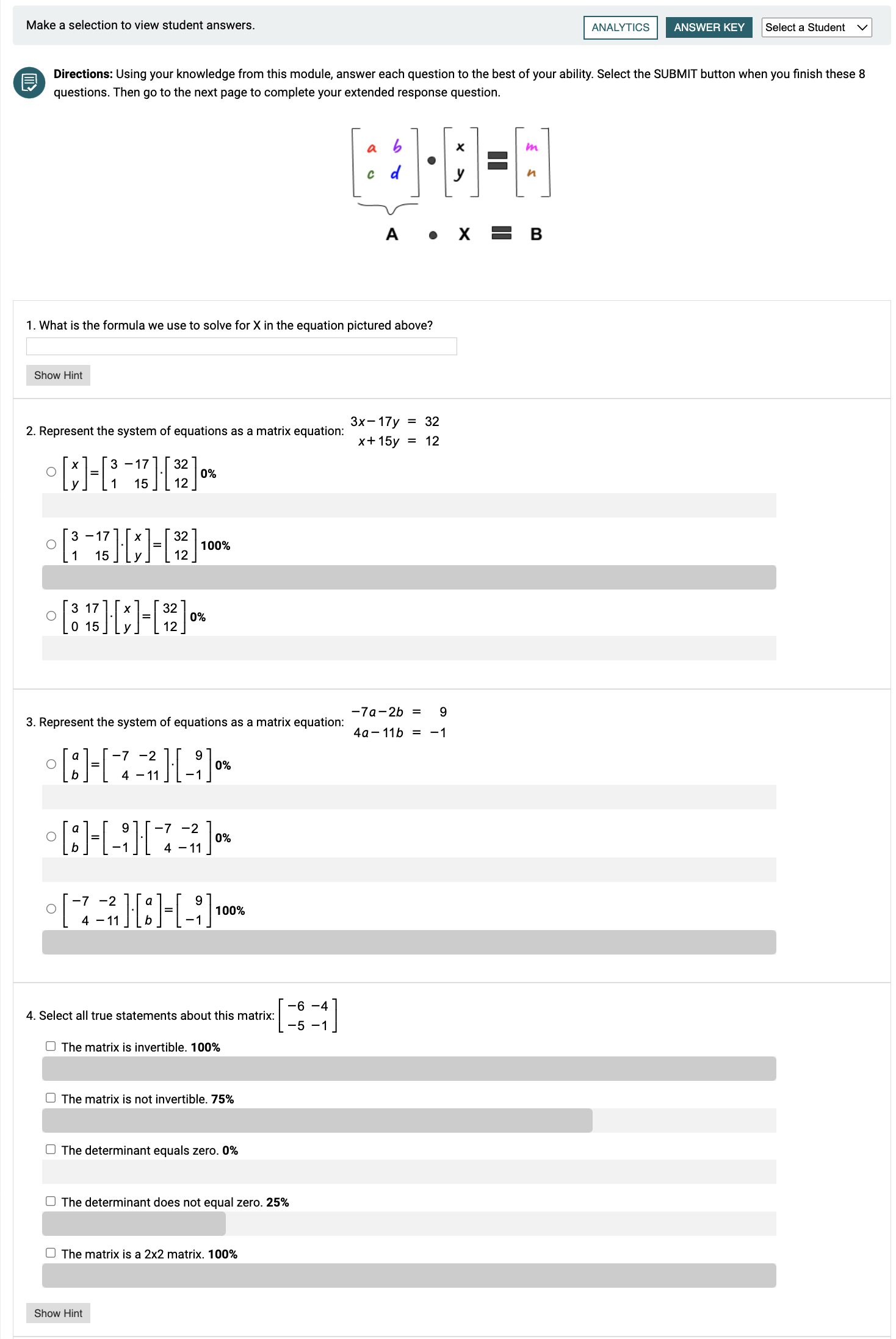
Example of learner response analytics on multiple-choice style questions on a quiz
Support
PLANNING SESSIONS
Strategize regularly with CourseArc experts to measure and grow progress towards your goals, improve organizational adoption and stay attuned to shifts and trends that impact your team.
CourseArc is very responsive in customer support, and expands from the top company leadership down to customer service representatives. The company is dedicated to understanding what kind of client we are. We are unique, where we are not a corporate or education client, so some software providers were not familiar with and did not understand what we were trying to do with our programs. CourseArc was always willing to have those conversations to help us service our primary audience and get it right. The responsiveness and flexibility in working with clients have made it a very good partnership.
–David Armenti, Director of Education, Maryland Center for History and Culture
PRODUCT SUPPORT
Access the support you need, when you need it. CourseArc offers a robust knowledge base, instant embedded contextual help, live and recorded webinars and client support through our online ticketing system. Your success is our priority.
As of the 22-23 school year, over 98% of our 214 courses use CourseArc for engaging, interactive, and accessible course content. In the 4 years that we have partnered with CourseArc, Virtual Arkansas has received no less than stellar customer service and support. CourseArc consistently listens and responds with care, provides timely and detailed solutions, and works to stay at the forefront of technology and customer requests. The CourseArc team is an exemplar of providing the best in customer service and user experience.
–Paula McDougald, Lead Course Design and Development Specialist, Virtual Arkansas
TRAINING AND SERVICES
Maximize adoption and product proficiency with our training and services. Our experts ensure your staff is knowledgeable and supported as they begin using CourseArc and can also serve as an additional resource to shorten project time frames when you’re under a tight deadline or facing personnel constraints.
I had the opportunity to work with CourseArc Instructional Designer Jill S., on a 4 week-long hybrid (synchronous and asynchronous) training focused on suicide prevention. From the beginning, she was incredibly collaborative, communicative, and had clear follow-through on every task as we worked through the project plan and scope of work. Her approach firmly centers the learners and trainers, creating a fluid experience that provides multiple opportunities for practicing and integrating skills and reflection. Our meetings were strategic, energizing, and fun, where shared problem solving was encouraged.
–Melissa Farr, Training and Program Manager, Center for Health and Learning